Can You Download Samsung Apps on iOS? The Real Answer
It is a question that pops up frequently, especially for users who are deeply entrenched in the Samsung Galaxy ecosystem by choice or by corporate mandate. Perhaps you have just switched from a heavy-duty Galaxy S-series phone to an iPhone, or maybe you are looking to multitask across devices. In either case, you are likely wondering if you can simply drag over your favorite Samsung applications to your new iOS device. The short, blunt answer is no. You cannot natively download or run official Samsung Android applications on an iPhone.
However, the full picture is a bit more nuanced. While you cannot install the proprietary APKs or Android-specific versions of apps like Secure Folder, Good Lock, or Samsung Internet, Samsung has strategically ported many of its most critical services to the Apple App Store. So, while your specific "Samsung-only" features will remain behind the Android glass, your data and account connectivity won't necessarily die with your old phone.
The Ecosystem Divide: Why They Don't Mix
To understand why you can’t just download a Samsung app onto iOS, you have to look at the underlying architecture. Samsung’s mobile applications are built on top of the Android operating system, utilizing specific APIs (Application Programming Interfaces) that simply do not exist in Apple’s iOS environment. Good Lock, for instance, allows for deep system-level customization of the UI, notifications, and navigation gestures. iOS is notoriously locked down, preventing third-party apps from accessing those same system layers. Similarly, Secure Folder relies on the hardware-backed Knox security platform, which is exclusive to Samsung’s silicon on Android devices.
Even if an app is functionally simple, like the basic calculator or file manager, Apple’s strict app review guidelines and code structure requirements mean that an Android APK file is effectively useless on an iPhone. There is no bridge. You cannot sideload Android apps onto iOS without jailbreaking, which is risky, voids warranties, and is generally not recommended for the average user.
What You Can Actually Use on iOS
Since Samsung wants to retain user engagement even if you leave their hardware, they have developed dedicated iOS versions of their most popular consumer-facing apps. These are not the full Android versions, but they offer robust cross-platform functionality. If you make the switch, you can still rely on these services for continuity:
- Samsung Health: This is perhaps the most important tool for switchers. The iOS version syncs with the Apple Health app, allowing you to view your steps, heart rate, and sleep data. It works seamlessly with Galaxy Watch devices paired to an iPhone, though some advanced coaching features may be limited compared to the Android version.
- SmartThings: If your home is filled with Samsung smart appliances or IoT devices, you do not lose control. The SmartThings app allows you to manage lights, thermostats, and fridges from your iPhone. The interface is nearly identical to the Android version.
- Galaxy Store & Pay (Limited): You will not find the Galaxy Store on iOS, but Samsung Pay functionality has largely been absorbed into other mobile wallet ecosystems or region-specific banking apps. However, in some regions, you might still find legacy connectivity tools.
- Bixby: Surprisingly, there is a basic Bixby app for iOS, but it is significantly stripped down. It functions mostly as a remote controller for your smart home devices rather than the full AI assistant experience you get on Android.
What Happens to Your Specific Samsung Tools?
Let’s address the apps that simply do not exist on iOS and what you lose by switching.
Good Lock is completely absent. If you loved tweaking your Direct Call feature, remapping your navigation keys, or customizing your One UI theme, you will need to let that go. iOS has its own customization suite—Widgets, Focus Modes, and Shortcuts—which serves a similar purpose but feels different. It is less granular regarding system UI but incredibly polished.
Secure Folder is another casualty. On Samsung devices, this creates a completely isolated space on your phone with its own login credentials. On iOS, the closest equivalent is the Hidden Album feature in the Photos app, or using file encryption within third-party document apps. It is not a full system partition, but for most users needing basic privacy, it suffices.
Samsung Internet is also Android-exclusive. It is a fantastic browser with great ad-blocking and customization features. On iOS, you will need to stick with Safari, Chrome, Firefox, or using the Bing app for its built-in AI features. As a side note, due to Apple’s restrictions on alternative browser engines in the US, you may not get the full engine power of Chrome or Firefox there anyway.
The Data Migration Challenge
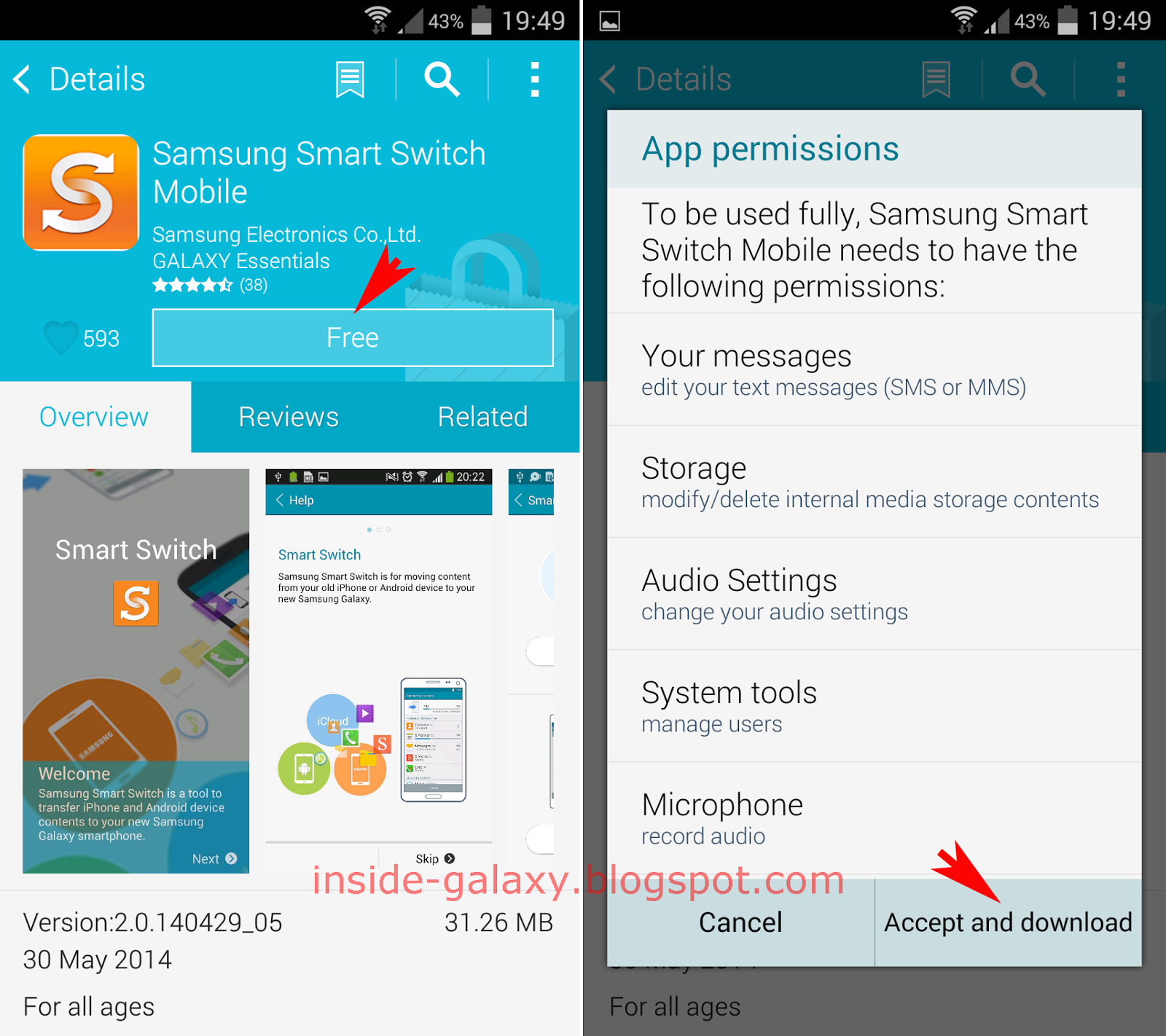
The most significant hurdle when moving from Samsung to iOS is not the apps themselves, but the data contained within them. While you can use Samsung’s Smart Switch tool to transfer contacts, photos, and calendars during the initial setup, application data often does not migrate.
Your notes in Samsung Notes will not import directly into Apple Notes. You have to export them individually as files or paste the text manually. Messages saved within specific apps remain on those apps' servers, so you have to log in again. This friction is a testament to the "walled garden" approach Apple takes, ensuring that once you are in their ecosystem, the experience is kept separate from external Android databases.
Is the Switch Worth It?
If your primary concern is retaining the exact same software experience, switching to iOS will feel like a step backward in terms of customization but a step forward in terms of integration with other Apple products. You lose the heavy-hitter apps like Good Lock and Secure Folder. However, for general productivity and media consumption, the core utilities you need—SmartThings and Samsung Health—follow you across the platform gap.
Ultimately, you don't need to worry about losing your entire digital life. Just prepare to learn a new set of shortcuts and let go of those deep system tweaks. The phone is just hardware now; the software is a whole new world.
Frequently Asked Questions
Can I run Android apps on my iPhone?
No. iPhones run on iOS, and Android apps are compiled for the Android Operating System. Without jailbreaking your device—which is highly discouraged due to security risks and instability—you cannot install APK files on an iPhone.
Does Samsung Health work on iPhone?
Yes, Samsung Health is available on the App Store. It syncs with Apple Health, allowing you to view and record health metrics on your iPhone. It also works perfectly with Samsung Galaxy Watches paired to an iOS device.
Can I use Samsung Pay on my iPhone?
No. Samsung Pay is exclusive to Samsung Android devices and Wear OS watches. On iPhone, you must use Apple Pay, which will accept the same credit and debit cards you would have used with Samsung Pay.
Will my Samsung account work on iOS?
Yes. You can log into your Samsung Account on iOS devices through the supported apps (like SmartThings or Samsung Health). However, the app itself is not a home screen staple on iOS; it acts more as a backend service for syncing data.