eBay Tracking Stuck? Simple Steps to Get It Updating
If you’ve ever clicked “Track Package” on eBay only to see the same status day after day, you know the frustration. eBay tracking not updating can leave buyers wondering whether their purchase is lost, while sellers scramble to explain the silence. The good news is that most hiccups are technical rather than catastrophic, and a handful of practical checks often restore the flow of information. Below we unpack why the feed can freeze and walk you through the most effective fixes.
Common Reasons Your eBay Tracking Stops Updating
- Carrier delays in posting scans – Major shippers such as UPS, USPS, or DHL sometimes experience backlogs, especially during peak seasons, which means the online feed lags behind the actual movement of the parcel.
- Incorrect or incomplete tracking number – A typo or missing digit prevents the carrier’s system from matching the package to its record, leaving the status frozen at “Label Created.”
- Third‑party logistics (3PL) hand‑offs – When a seller uses a fulfillment service, the package may be handed off to a regional carrier that doesn’t automatically push updates to eBay’s tracking interface.
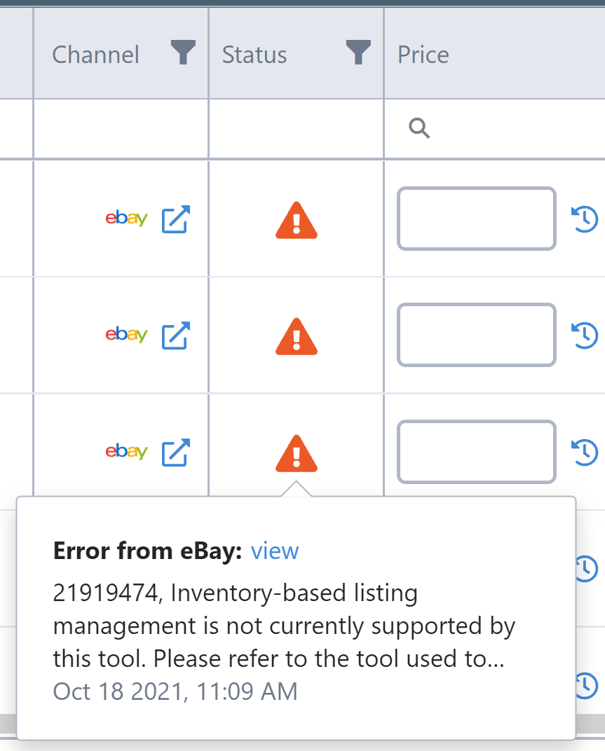
- eBay’s own sync issues – Occasionally the platform’s API call to the carrier experiences a timeout, so the most recent scan never reaches the buyer’s dashboard.
- International customs holds – Packages stuck in customs often show no movement until clearance is granted, which can span several days.
Quick Fixes You Can Try Right Now
Before you assume the worst, run through these low‑effort steps. Most of them take under two minutes.
- Refresh the tracking page. Click the refresh icon or press F5. A cached version sometimes shows an outdated status.
- Copy the tracking number and check the carrier’s site directly. Paste it into the official tracking tool (e.g., usps.com/track or ups.com/track). If the carrier shows recent activity, the issue likely lies with eBay’s feed.
- Verify the number’s accuracy. Compare the digits on the eBay order page with the label you received (if you’re the seller) or the email confirmation (if you’re the buyer). Even a single transposed digit can break the link.
- Clear your browser cache or try a different browser. Occasionally local caching prevents the newest JSON payload from loading.
- Wait the carrier’s typical posting window. Most carriers update every 12‑24 hours; a short pause is normal, especially after a holiday surge.
When to Reach Out for Help
If the above steps don’t surface fresh data, it’s time to involve the parties who can intervene.
- Contact the seller. Open a polite message through eBay’s “Ask a question” link. Request confirmation of the tracking number and ask whether they’ve received any carrier notifications that haven’t propagated.
- Escalate to eBay Support. Use the “Help & Contact” portal, choose “Orders & Returns,” then “Tracking issues.” Provide the order ID, the tracking number, and a brief description of the steps you’ve already taken.
- Call the carrier’s customer service. When you have the correct tracking number, the carrier can verify if the package is in their system and, if necessary, trigger an update.
- Open a case for “Item not received.” If a reasonable amount of time has passed (usually 7‑10 days after the expected delivery date) and you still see no movement, filing a case protects your purchase and prompts a formal investigation.
How to Verify Tracking Independently
Relying solely on eBay’s widget can be limiting. Independent verification gives you a clearer picture.
- Visit 17track.net or a similar multi‑carrier aggregator.
- Paste the tracking number. The site pulls data from dozens of carriers, sometimes revealing scans that eBay missed.
- Take a screenshot of the latest status. This can be useful if you need to provide evidence to eBay or the seller.
Prevent Future Tracking Glitches
Both buyers and sellers can take proactive measures to keep tracking smooth.
- Buyers: Save the tracking number. Store it in a note app so you can check it directly without navigating back to the order page.
- Sellers: Double‑check the number before posting. A quick scan of the label ensures the digits match the carrier’s system.
- Use eBay’s “Shipping label” feature. When you purchase a label through eBay, the platform auto‑syncs the tracking number, reducing the chance of manual entry errors.
- Communicate shipping delays. If you know the carrier is experiencing a backlog, a brief update in the order’s message thread reassures the buyer and reduces support tickets.
- Opt for carriers with robust API integration. Some regional services lack real‑time updates; choosing a major carrier can improve the reliability of eBay’s tracking feed.
FAQ
Q: My tracking shows “Label Created” for a week. Does that mean my package is lost?
A: Not necessarily. “Label Created” simply means the carrier has generated a barcode. The package may still be waiting at the seller’s drop‑off location or in a processing hub. Check with the seller and confirm the drop‑off date.
Q: Can I cancel an order if the tracking isn’t updating?
A: You can open a cancellation request through eBay, but the seller may already be in the shipping process. If the package is already in transit, the best route is to wait for delivery or file a “Not received” case after the estimated delivery window expires.
Q: Why does the tracking number on my eBay order differ from the one on the carrier’s receipt?
A: Sellers sometimes use a “reference” number for internal purposes and later replace it with the official carrier number. Ask the seller to confirm which number is active.
Q: Is there a way to get real‑time push notifications for eBay tracking updates?
A: eBay sends email alerts for status changes, but the frequency depends on the carrier’s scan schedule. For instant updates, use a third‑party tracker app that monitors the carrier’s feed directly.