How to Choose and Use ISC Fiber Optic Adapters
When you’re building or upgrading a high‑speed data link, the tiny connector that sits between two strands of glass can make or break performance. ISC fiber optic adapters are the bridge that aligns these fibers, allowing light to pass with minimal loss. This guide walks you through the basics, the selection process, and practical tips for reliable installation.
Understanding ISC Fiber Optic Adapters
ISC stands for “International Standard Connector,” a type of fiber‑optic interface that has become a de‑facto norm in telecom and data‑center environments. Unlike legacy connectors such as ST or FC, ISC adapters feature a push‑pull mechanism that simplifies mating while maintaining precise core alignment. The result is lower insertion loss and reduced back‑reflection, which are critical for long‑haul and high‑bandwidth applications.
Core specifications you should know
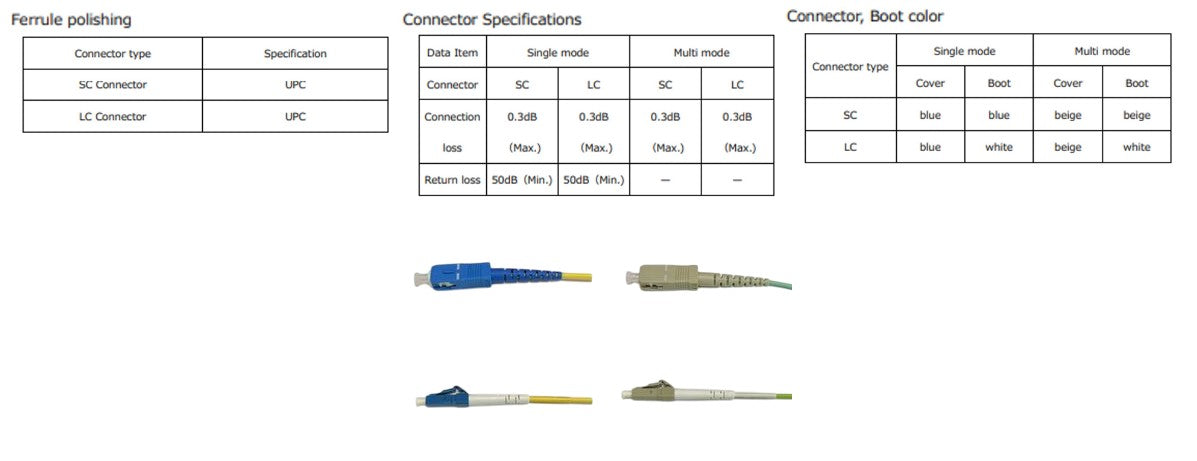
- Insertion loss – measured in decibels (dB), this indicates how much signal is lost when light passes through the adapter; a good ISC adapter typically stays under 0.3 dB.
- Return loss – also in dB, it reflects back‑reflected light; values above 55 dB are considered excellent for most enterprise links.
- Mode field diameter (MFD) compatibility – ensures the adapter matches the fiber’s optical mode, preventing modal mismatch.
- Operating temperature range – especially relevant for outdoor or industrial installations; many adapters are rated from –40 °C to +85 °C.
Selecting the Right Adapter for Your Network
Choosing an ISC adapter isn’t just about buying the cheapest part on the shelf. You need to match the adapter to your fiber type, cable architecture, and the environment where it will live. Below are the main decision points to keep in mind.
- Fiber type: Single‑mode (SM) and multimode (MM) fibers require different core sizes; using a SM‑specific adapter on MM fiber can double insertion loss.
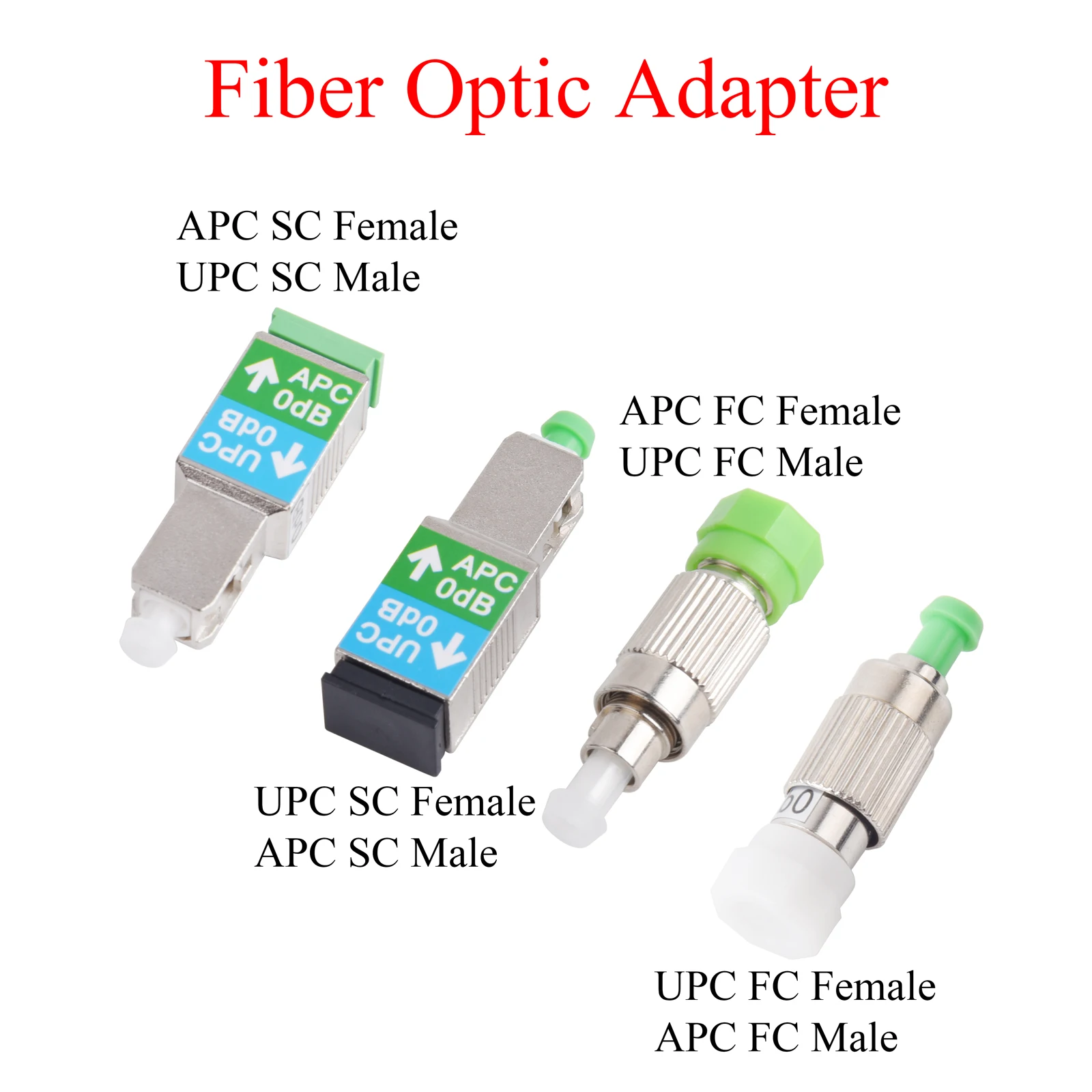
- Connector polish: APC (angled physical contact) offers superior return loss for high‑precision links, while PC (physical contact) is sufficient for most indoor runs.
- Shielding: If electromagnetic interference (EMI) is a concern, opt for metal‑housing adapters that provide additional shielding.
- Compliance and certifications: Look for adapters that meet IEC 61754‑7 or Telcordia standards, especially for carrier‑grade deployments.
Finally, consider future‑proofing. Selecting an adapter with a broader temperature rating or a higher return‑loss spec can save you a costly retrofit when network upgrades arrive.
Proper Installation and Handling
Even the best‑spec’ed adapter will underperform if it’s installed incorrectly. Follow these steps to ensure a clean, low‑loss connection every time.
- Inspect both the fiber end‑faces and the adapter’s ferrule under a microscope; any dirt or scratches will dramatically increase loss.
- Clean the fiber with an appropriate lint‑free wipe and isopropyl alcohol, then wipe the adapter ferrule with the same method.
- Insert the fiber into the adapter until you feel a gentle “click” – this signals proper engagement of the push‑pull mechanism.
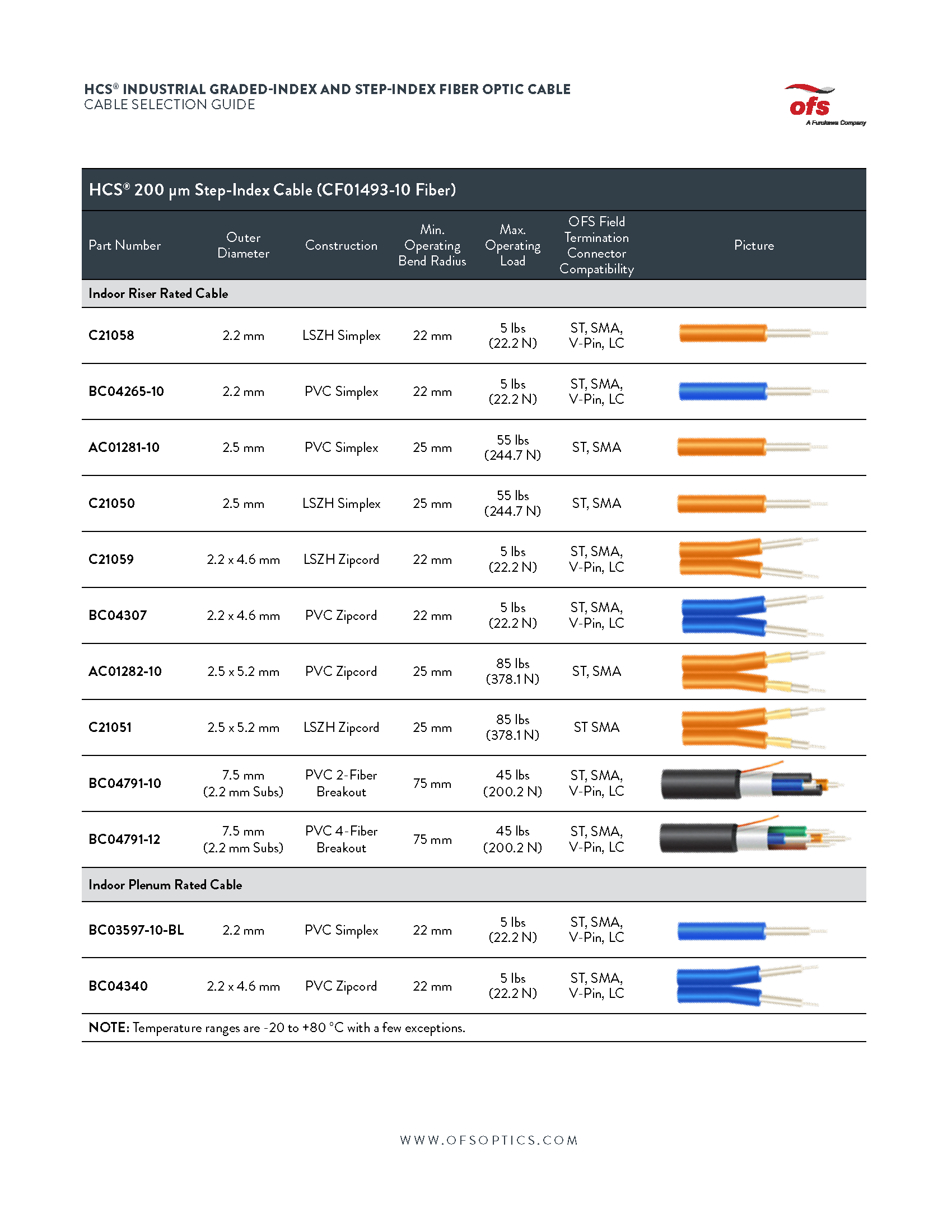
- Secure the adapter in its panel or patch‑cord housing, making sure the strain relief does not bend the fiber beyond its minimum bend radius (usually 10 mm for SM, 5 mm for MM).
- After mating, verify the link with an optical power meter or OTDR to confirm insertion loss is within expected limits.
Common Pitfalls and Maintenance Tips
Even seasoned technicians stumble over a few recurring issues. Awareness is the first line of defense.
- Over‑tightening: The push‑pull latch is designed to lock with minimal force; forcing it can misalign the ferrules.
- Dust accumulation: In dusty environments, schedule routine cleaning—ideally every six months—to keep loss figures stable.
- Temperature swings: Sudden temperature changes can cause metal housing to expand or contract, subtly shifting alignment; use adapters with low thermal coefficient materials when possible.
- Improper storage: Store adapters in anti‑static bags and avoid exposure to direct sunlight, which can degrade the polishing on the ferrule over time.
FAQ
Q: Can I mix APC and PC ISC adapters in the same link?
A: It’s not recommended. APC connectors have an 8° angled end‑face that reduces back‑reflection, while PC ends are flat. Mating them together defeats the APC’s advantage and can increase return loss.
Q: Are there “universal” ISC adapters that work with both single‑mode and multimode fibers?
A: No single adapter reliably covers both fiber types without compromising performance. Choose adapters that specifically match the mode field diameter of your fiber to keep loss low.
Q: How often should I test the loss on an ISC‑based link?
A: For mission‑critical networks, a quarterly check is prudent; for less demanding environments, a bi‑annual test usually suffices, provided the installation remains physically stable.