How to Convert VHS to Digital: The Best Method for Your Old Tapes
Those boxes of VHS tapes gathering dust can feel like a hidden time capsule, but the magnetic film deteriorates faster than we’d like to admit. If you’ve ever wondered VHS To Digital Best Way To Convert Your Old Tapes, you’re not alone—many families are racing to save those priceless moments before they fade forever.
VHS To Digital: Best Way to Convert Your Old Tapes
The “best way” isn’t a one‑size‑fits‑all answer. It depends on how many tapes you have, your budget, and whether you prefer a hands‑on approach or a turn‑key service. Below we break down the main routes, the gear you’ll need, and a practical step‑by‑step plan so you can decide which path feels right for you.
Why Digitize in the First Place?
Magnetic tape is vulnerable to humidity, temperature swings, and even the simple act of playing the tape. Once the oxide layer starts to flake, playback can become jittery or impossible. Digital files, on the other hand, can be backed up to the cloud, copied to external drives, or even shared with relatives overseas—all without the risk of physical decay.
Three Common Options
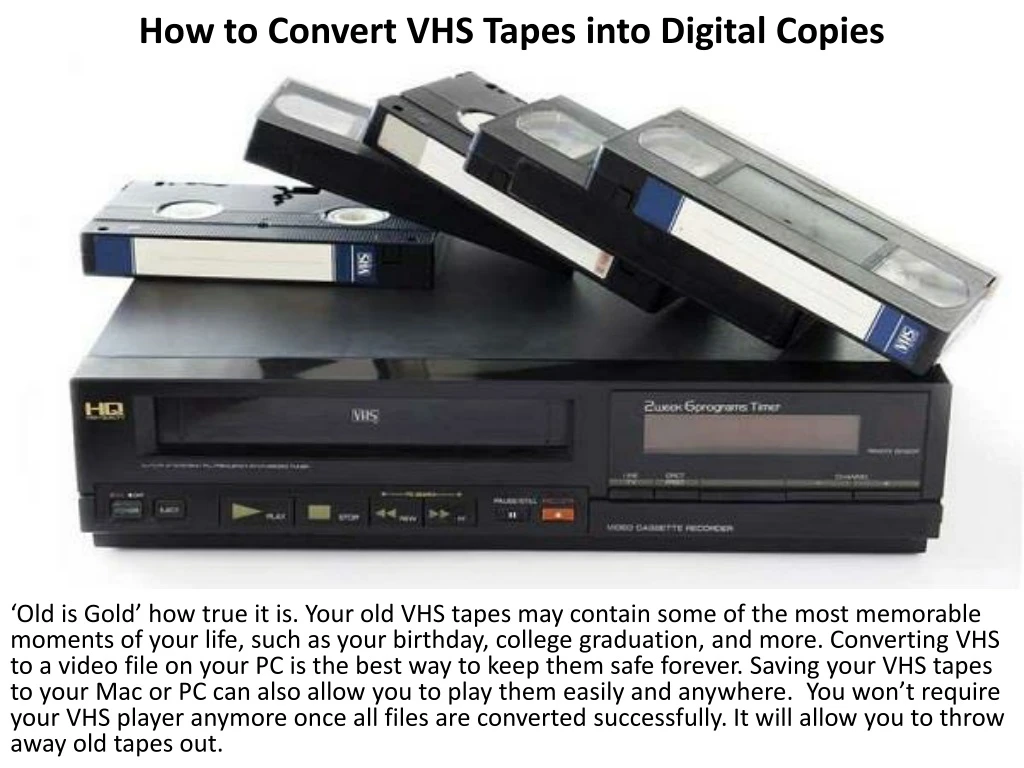
- Do‑It‑Yourself (DIY) capture: Buy a VHS player and a video capture device, then convert the signal on your computer.
- Professional conversion service: Ship your tapes to a lab that handles the entire process for you.
- Hybrid approach: Use a service for bulk or fragile tapes while you handle the few you want to edit yourself.
DIY Capture: What You’ll Need
If you enjoy tinkering, this route gives you total control over file format, resolution, and naming conventions. Here’s the basic checklist:
- A working VCR (preferably one with S‑Video output for better color fidelity).
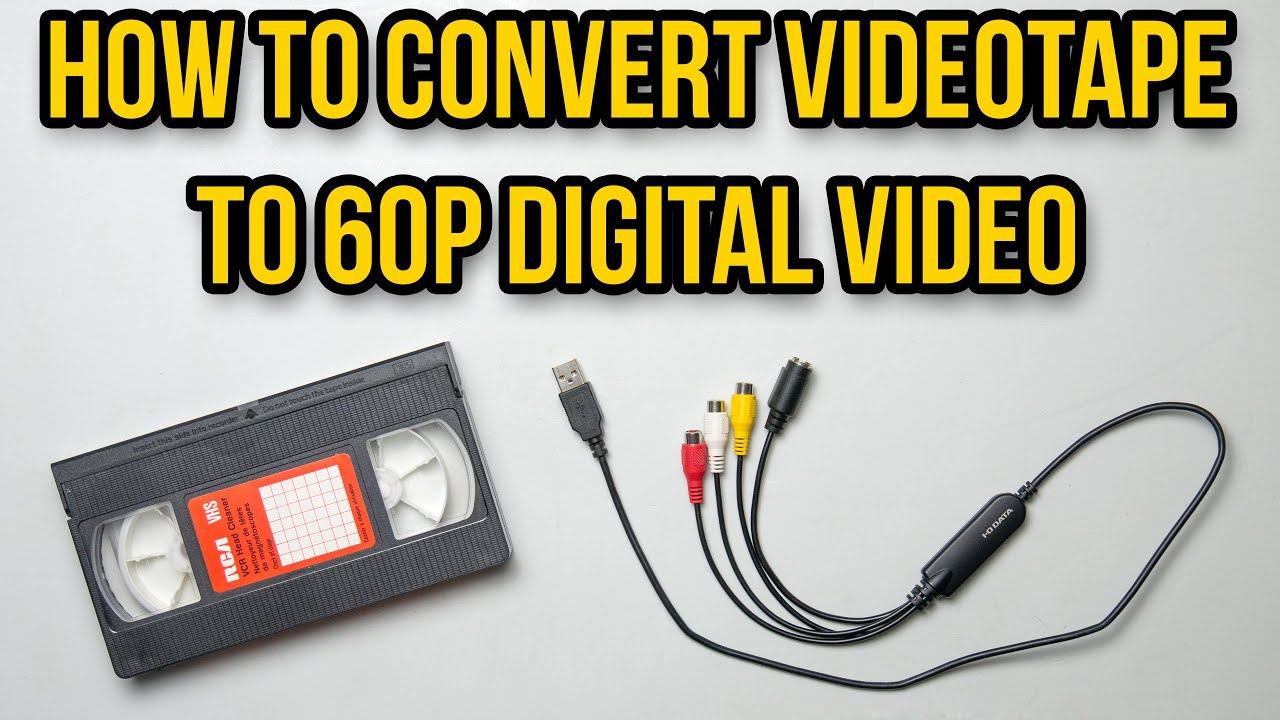
- A USB video capture adapter that supports RCA or S‑Video input.
- Conversion software—many adapters come with free apps, but options like HandBrake or OBS Studio add extra features.
- A computer with at least 4 GB of RAM and enough free storage (a 2‑hour tape can be roughly 8–10 GB in high‑quality MP4).
Step‑by‑Step DIY Guide
- Connect the VCR’s audio/video outputs to the capture device using RCA cables (or S‑Video if your VCR supports it).
- Plug the capture device into your computer’s USB port and install any necessary drivers.
- Launch the capture software, select the appropriate input source, and set the desired resolution—1080p is a safe default for most home recordings.
- Insert the tape, press “Play” on the VCR, and hit “Record” in the software. Let the tape run its full length; you can pause for breaks if needed.
- When the tape finishes, stop recording, then export the file as MP4 or MOV. Tag the file with a clear name (e.g., “Family_Reunion_1998.mp4”) and store it in a dedicated folder.
Professional Services: When to Hand It Over
Professional labs shine when you have dozens of tapes, brittle cassettes that might break on a home VCR, or a desire for higher‑end formats like lossless AVI or ProRes. They typically offer:
- Batch pricing (often $15–$25 per tape).
- Quality control—technicians will clean heads, adjust tracking, and sometimes restore color.
- Multiple output options, including USB drives, DVDs, or cloud links.
The trade‑off is you lose some flexibility in naming and editing, and turnaround can take a week or more depending on workload.
Hybrid Strategy: Get the Best of Both Worlds
Consider sending only the most fragile or valuable tapes to a service, while you tackle the bulk of “everyday” recordings at home. This lets you keep costs down yet ensures that the irreplaceable moments get the expert care they deserve.
Preserving Quality During Conversion
Even with the best gear, a few pitfalls can degrade the final file:
- Tracking issues: If the picture wobbles, adjust the VCR’s tracking knob until the image steadies.
- Audio hiss: Most capture software includes a noise‑reduction filter—use it sparingly to avoid making speech sound tinny.
- File compression: Aim for a bitrate of at least 8 Mbps for 1080p MP4; lower settings will shrink files but may introduce artifacts.
Cost Considerations
DIY conversion has an upfront cost: a decent capture device runs $30–$80, and a reliable VCR can be found used for $40–$100. Add a few hours of your time, and the per‑tape cost drops dramatically after the first few. Professional services, while pricier per tape, eliminate the learning curve and guarantee consistent results—useful if you’re converting a large collection and don’t want to spend weekends in front of a screen.
Where to Store Your Digital Files
Once you have MP4s or similar files, think about redundancy. A good rule of thumb is the 3‑2‑1 backup strategy: three copies, on two different media, with one off‑site (cloud storage works well for the off‑site copy). Tag each file with metadata—date, event, participants—so future generations can search by keyword instead of digging through folders.
Frequently Asked Questions
Can I convert VHS tapes directly to a DVD without a computer?
Yes, some stand‑alone converters plug into a VCR and burn DVDs on the fly, but they often limit you to standard‑definition quality and offer fewer editing options than a computer‑based workflow.
Is S‑Video really worth the extra cable?
For most home recordings, S‑Video provides noticeably sharper colors and less noise compared to composite RCA, especially on older tapes that already show color bleed. If your VCR has the output, it’s a modest upgrade for a modest price.
How long should a digitized file be kept before re‑encoding?
Modern codecs like H.264 remain compatible for years, but re‑encoding every 5–7 years to newer standards (e.g., H.265/HEVC) can keep file sizes smaller while preserving quality. Keep the original export file as a master copy.
Do I need a special license to share converted videos online?
Personal family videos are generally fine to share with relatives. If a tape contains copyrighted movies, TV shows, or music, you’d need permission from the rights holder before posting publicly.