How to Fix Camera Flash Problems: On, Off, and In Between
Why Your Camera Flash Might Refuse to Turn On
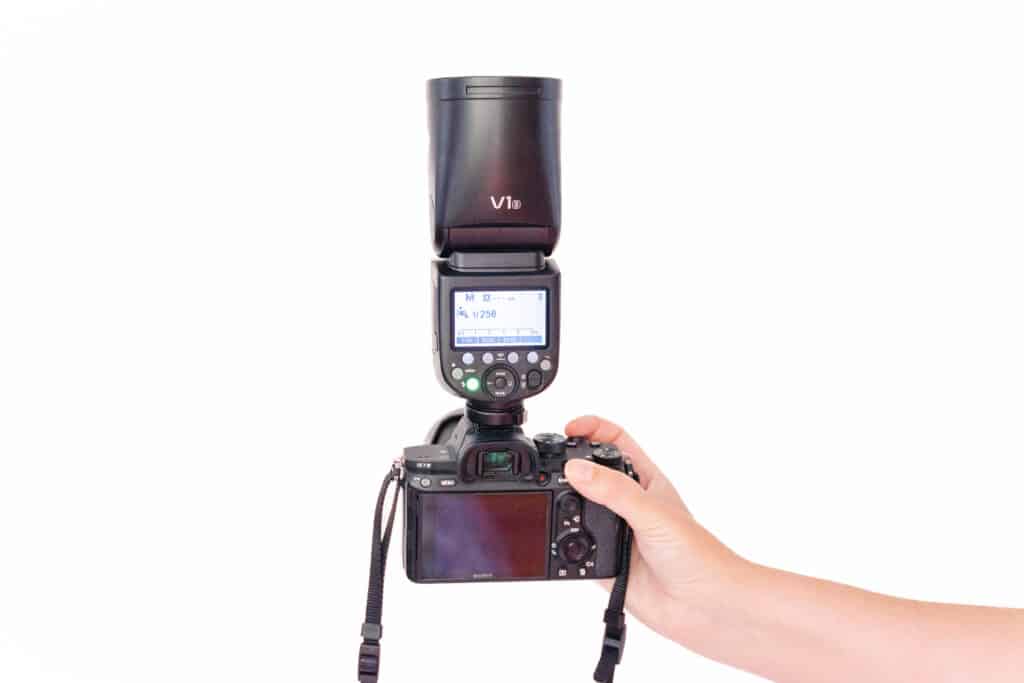
Most photographers assume a flash is simply “plug‑and‑play.” In reality, a flash unit depends on several tiny components that can fail silently. If the flash never fires, start by checking the power source. A weak battery or a loose connection will keep the capacitor from charging enough to emit a burst of light.
Next, examine the camera’s settings. Many modern bodies default to “Flash Disabled” when an external flash is attached, or they switch to a “Red‑Eye Reduction” mode that delays the actual flash. Resetting the flash mode to “Auto” or “Manual” often restores normal operation.
Finally, consider the flash’s own internal circuitry. A blown fuse or a damaged flash tube can mimic a software glitch. In such cases, a professional inspection is usually the safest route.
When the Flash Stays Lit: Common Causes of a Constant Flash
A flash that remains illuminated after a shot usually indicates a problem with the discharge circuit. The most frequent culprit is a stuck relay: the tiny switch that tells the flash to release its stored energy may be jammed in the closed position.
Another possibility is a firmware bug. Firmware updates sometimes introduce new flash‑control logic that conflicts with older hardware. Checking the manufacturer’s website for a recent patch can solve the issue without opening the device.
If the flash stays on even after powering down the camera, the battery’s voltage regulator may be feeding power when it shouldn’t. Removing the battery, waiting a minute, and reinserting it can reset the regulator and clear the fault.
Intermittent Flash Behavior – Diagnosing the In‑Between
Flashes that fire sporadically are the most frustrating because the cause can be elusive. Temperature fluctuations are a hidden factor; extreme cold can slow down the capacitor’s charging rate, while heat can cause premature discharge.
Dust or moisture inside the flash head can also create intermittent connections. A gentle tap on the flash housing (while the camera is off) sometimes dislodges debris enough to restore consistent firing.
Don’t overlook the camera’s sync speed. Shooting at a shutter speed faster than the flash’s sync limit can make the flash appear to fire only on some frames. Lowering the shutter speed below the sync threshold usually eliminates the “in‑between” behavior.
Quick Fix Checklist for Everyday Flash Issues
- Battery check: Verify voltage with a multimeter or replace with a fresh, fully charged battery.
- Connection inspection: Clean the hot shoe contacts using a dry lint‑free cloth; ensure the flash is seated firmly.
- Reset settings: Switch the flash mode to “Auto,” then back to your preferred setting.
- Firmware update: Download the latest version from the maker’s support page and follow the installation instructions.
- Environmental factors: Allow the camera and flash to acclimate to room temperature before shooting in extreme climates.
When to Seek Professional Help
If you’ve exhausted the checklist and the flash still misbehaves, it’s time to consult a technician. Problems like a cracked flash tube, a damaged high‑voltage transformer, or a corrupted EEPROM require specialized tools and expertise.
Most camera manufacturers offer authorized service centers that can diagnose and replace faulty components under warranty or for a reasonable repair fee. Keeping a record of serial numbers and purchase dates will smooth the repair process.
FAQ
Q: My flash works on my phone but not on my DSLR. Why?
A: Different cameras use distinct communication protocols. A flash designed for a smartphone’s built‑in LED may lack the hot‑shoe triggers required by a DSLR, so the unit simply never receives the fire signal.
Q: Can I use a flash without a battery?
A: Some external flashes draw power directly from the camera’s hot shoe, but most rely on internal batteries to charge the high‑voltage capacitor. Without a battery, the flash will not fire.
Q: My flash flickers during video recording. Is that normal?
A: Most continuous‑light flashes are not intended for video; they may pulse as the camera’s autofocus system interferes with the flash’s timing. For video, consider a dedicated LED panel instead.
Q: How often should I clean the flash contacts?
A: A quick wipe after each shooting session is sufficient for most environments. In dusty or humid conditions, clean them weekly to maintain reliable electrical contact.