How to Fix NAT Gateway Limits in Your VCN
Seeing the “NAT gateway limit reached” message in your Virtual Cloud Network (VCN) can feel like an unexpected roadblock, especially when traffic is suddenly throttled. The good news is that the limit isn’t a hard wall—it’s a configurable setting that you can adjust, clean up, or work around with a few purposeful steps. Below we’ll walk through why the limit exists, how to diagnose the root cause, and practical ways to get your VCN back to smooth sailing.
Why NAT Gateway Limits Matter
In Oracle Cloud Infrastructure (OCI), a NAT gateway provides outbound internet access for private subnets without exposing internal IPs. Each tenancy has a default quota—typically ten NAT gateways per VCN—to keep resources balanced and to prevent accidental over‑provisioning. When you hit that quota, any new NAT gateway creation fails, and existing routes that rely on a missing gateway can drop traffic.
Understanding the limit helps you decide whether you need a quick cleanup or a permanent quota increase. Most teams hit the ceiling because they spin up temporary environments, forget to delete them, or design architectures that over‑use NAT gateways where a single gateway could serve multiple subnets.
Step‑by‑Step Guide to Resolve the Limit
- Check Your Current NAT Gateways
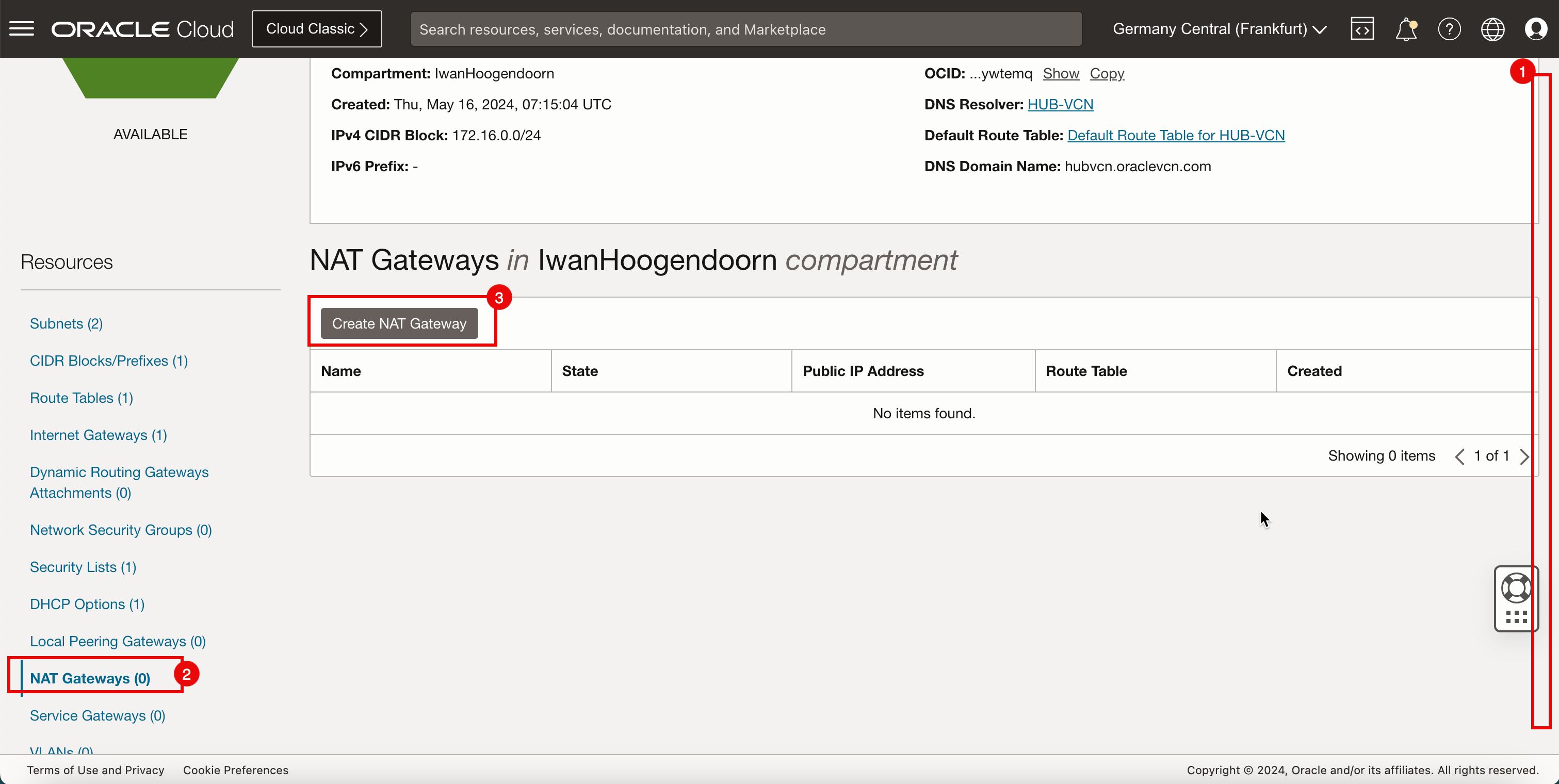
- Navigate to the OCI console, go to Networking → NAT Gateways, and filter by your VCN.
- Make a quick inventory: note which gateways are active, which are attached to subnets, and which have been idle for weeks.
- Delete Unused or Redundant Gateways
- If a gateway isn’t associated with any route table, it’s likely safe to remove.
- Before deletion, confirm that no workloads rely on it—especially batch jobs or scheduled scripts that might run off‑hours.
- Consolidate Gateways Across Subnets
- A single NAT gateway can serve many private subnets; just point each subnet’s route table to the same gateway.
- Review your route tables: you may have created a separate NAT gateway per subnet out of habit.
- Request a Quota Increase
- Open a service request in the OCI console under Support → Create Request.
- Select “Limit Increase – NAT Gateway” and specify the desired number (e.g., 20).
- Provide a brief justification—mentioning growth plans or multi‑environment testing—so the support team can approve quickly.
- Consider Alternative Designs
- For high‑throughput scenarios, a Network Load Balancer with NAT rules can offload some traffic.
- In some cases, a NAT instance (a compute VM acting as a NAT) offers more flexibility, though you’ll need to manage scaling and security yourself.
- Set Up Monitoring Alerts
- Enable OCI Monitoring metrics for NAT gateway usage and create a threshold alarm (e.g., when the count reaches 80% of your quota).
- Automated alerts help you catch the limit before it disrupts production.
Best Practices to Avoid Hitting the Limit Again
Proactive housekeeping goes a long way. Tag every NAT gateway with its purpose—environment=dev, owner=team-x—so you can query and prune resources with a single script. Incorporate a cleanup job into your CI/CD pipeline: after a feature branch is merged, automatically delete any temporary NAT gateways it spun up.
Another tip is to design your VCN with a “shared NAT layer.” Create one dedicated NAT gateway per region, then let all private subnets in that region point to it. This not only reduces the number of gateways but also simplifies routing tables and reduces potential misconfigurations.
When a Quota Increase Isn’t Immediate
If you need more gateways right away but the support ticket is pending, you can temporarily bypass the limit by leveraging a NAT instance. Launch a small compute instance, enable IP forwarding, and configure iptables for masquerading. Attach the instance’s VNIC to the same subnet as your private resources, and update the route tables to point to the instance’s private IP.
While this workaround isn’t as seamless as a native NAT gateway—especially regarding high availability—it buys you time without waiting for the quota change.
Common Pitfalls to Watch Out For
- Mixing Public and Private Subnets: Accidentally placing a NAT gateway in a public subnet defeats its purpose and can lead to duplicate routing.
- Forgetting to Update Route Tables: Deleting a gateway without fixing the associated route tables causes “no route to host” errors.
- Over‑Provisioning in Test Environments: Test suites that spin up a new VCN per run can quickly consume the NAT quota if they don’t tear down properly.
Quick Checklist Before You Close the Ticket
- All unused NAT gateways deleted?
- Route tables point only to existing gateways?
- Monitoring alarm configured for gateway count?
- Documentation updated with new gateway inventory?
FAQ
What is the default NAT gateway limit per VCN?
Oracle Cloud sets the default quota to ten NAT gateways per VCN, though this can vary based on the tenancy’s service level.
Can I create NAT gateways across multiple regions in the same VCN?
No. A VCN is region‑specific, so each region’s VCN gets its own NAT gateway quota.
How long does a quota increase request usually take?
Most requests are approved within one business day, but it can be faster if you provide clear usage justification.
Is a NAT instance a permanent replacement for a NAT gateway?
Typically not. NAT instances require manual scaling and patching, whereas native gateways are fully managed and highly available.