How to Listen to Live Radio Stations for Free on iHeartRadio
What iHeartRadio Offers Without Paying
iHeartRadio is a massive digital hub that aggregates thousands of terrestrial FM/AM stations, plus curated music channels, all in one app or web player. The platform’s free tier lets you listen to live radio stations free without a subscription, making it a handy alternative to traditional car or home radios. You still get access to the same live broadcasts you’d hear over the airwaves, from local news and talk shows to the latest pop hits.
Getting Started: Setting Up a Free Account
- Visit iHeartRadio.com or download the iHeartRadio app for iOS or Android.
- Tap “Sign Up” and choose the option to create an account with an email address, Google, or Apple ID.
- Fill in a username and password, then verify your email if prompted.
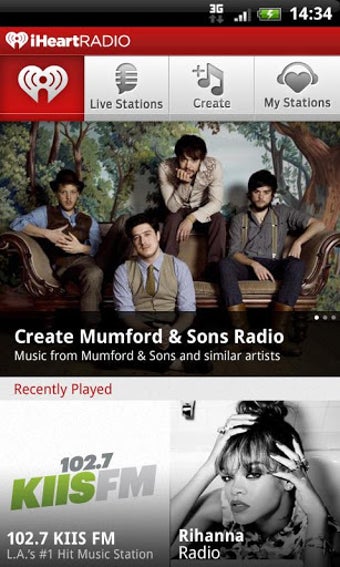
- Once logged in, you’ll see a dashboard that highlights popular stations, genres, and personalized recommendations.
Creating an account is optional for basic listening, but signing in unlocks the ability to save favorite stations, create custom presets, and receive tailored suggestions.
Finding and Tuning Into Live Stations
After you’re logged in, the “Live Radio” tab is your gateway to real‑time broadcasts. You can browse by location, genre, or popularity. If you know a specific call sign—say, WXYZ in Chicago—type it into the search bar and hit enter; the live stream appears instantly. For a more exploratory experience, scroll through categories like “Top 40,” “Country,” “News Talk,” or “Sports” and click any station to start streaming.
Features That Still Work on the Free Tier
- Personalized presets: Save up to five stations for quick access.
- Song and artist information: While a track plays, iHeartRadio often displays the title, artist, and album art.
- Live event alerts: Get notifications about upcoming concerts or special on‑air segments from your favorite stations.
- Social sharing: Share a song or station link directly to Facebook, Twitter, or Instagram.
All of these tools remain functional without a premium subscription, giving you a fairly rich listening experience.
Limitations of the Free Experience
Free listening does come with trade‑offs. Expect periodic audio ads that break up songs or talk segments; the frequency varies by market but is generally comparable to traditional radio commercials. You also can’t download stations for offline playback, and the “skip” function—useful for moving past a song you don’t like—is limited to a handful of skips per hour. Lastly, some exclusive podcasts and premium “iHeartRadio Plus” stations are locked behind a paid plan.
Tips to Make the Most of Free Listening
- Enable “Data Saver” mode in the app settings if you’re on a limited mobile plan; it reduces stream quality just enough to save bandwidth without sacrificing clarity.
- Use the “Favorites” feature to pin your top stations, cutting down the time spent scrolling through endless lists.
- Take advantage of the “Sleep Timer” if you like drifting off to music at night; it automatically stops playback after a set period.
- Explore the “Trending” section daily; iHeartRadio curates stations that are seeing a surge in listeners, which often leads to discovering local gems you might have missed.
Frequently Asked Questions
Is iHeartRadio truly free for live radio?
Yes, you can stream live FM/AM stations without paying. The free tier is ad‑supported, so you’ll hear commercials similar to traditional broadcast radio.
Do I need an internet connection to use iHeartRadio?
Streaming live stations requires an active internet connection—either Wi‑Fi or cellular data. Offline listening is reserved for premium subscribers.
Can I listen to iHeartRadio on a smart speaker?
Most major smart speakers, including Amazon Echo and Google Nest, have built‑in iHeartRadio support. Simply ask the device to play a station by name or genre.
Are there any hidden fees for the free version?
No. The free service does not require credit‑card information, and there are no surprise charges. All premium features are clearly labeled as part of the “iHeartRadio Plus” or “All Access” subscriptions.