How to Shield Yourself from Doxing and Keep Your Data Private
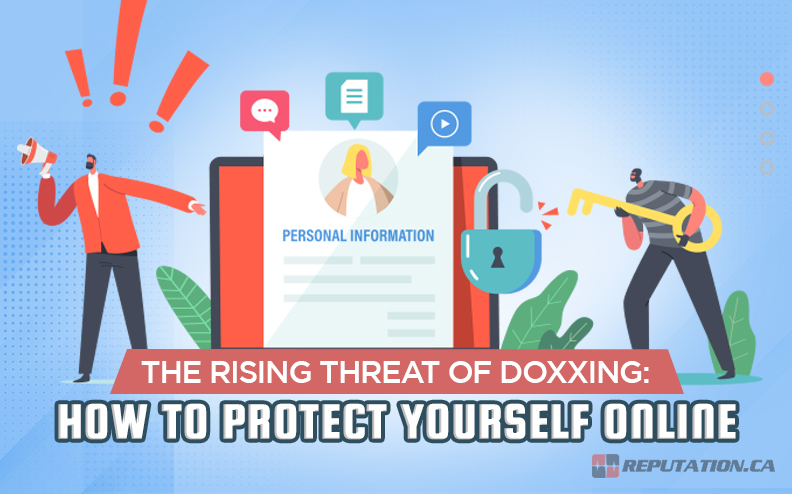
Doxing—having your personal details ripped from the internet and weaponized—feels like a modern‑day nightmare. Whether you’re a casual social‑media user or a professional whose name appears in public records, the threat is real. Fortunately, a mix of habit changes, technical tweaks, and quick response plans can dramatically cut the risk. Below you’ll find a down‑to‑earth guide that walks you through the most common data leaks and the steps you can take right now to protect your privacy.
What Is Doxing and Why It Matters
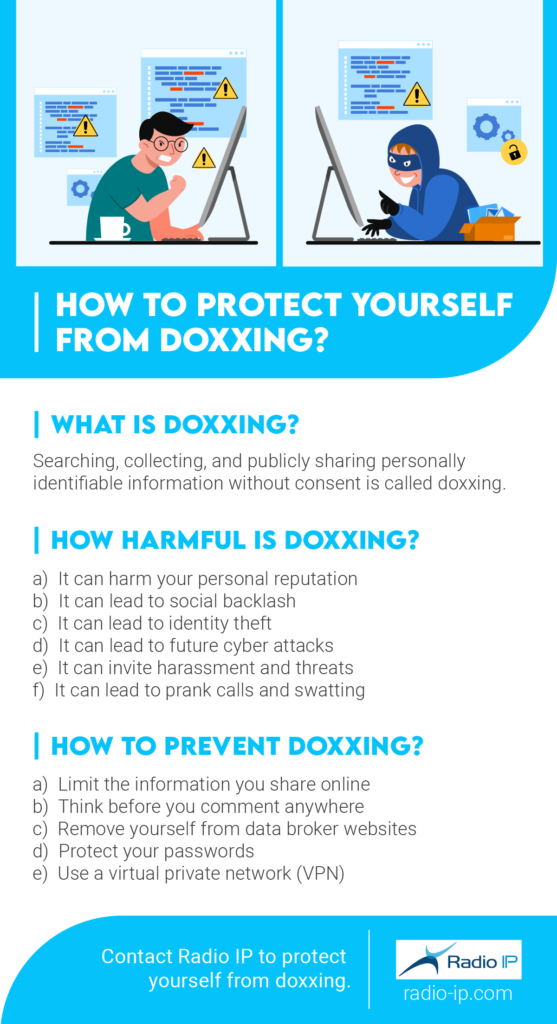
In short, doxing is the practice of collecting and publishing someone’s personally identifying information (PII) without consent. The data can range from email addresses and phone numbers to home addresses, employment history, or even scanned copies of ID cards. Bad actors use this ammunition for harassment, identity theft, extortion, or to amplify a political agenda. Because the internet stores breadcrumbs of your life—forum posts, public records, and even seemingly harmless selfies—anyone who knows where to look can piece together a surprisingly complete profile.
Typical Paths Attackers Use to Gather Your Info
Understanding the routes criminals travel helps you block them before they arrive.
- Social‑media oversharing. Public posts that mention your city, workplace, or family members are gold mines.
- Data‑broker listings. Companies compile public records, phone directories, and purchase histories into searchable databases.
- Leaked password dumps. If you reuse passwords, a breach on one site can expose credentials for another, granting attackers deeper access.
- Public documents. Court filings, voter registrations, and property records are often free to view online.
Each of these sources can be mitigated with a little vigilance and the right tools.
Practical Steps to Prevent Doxing
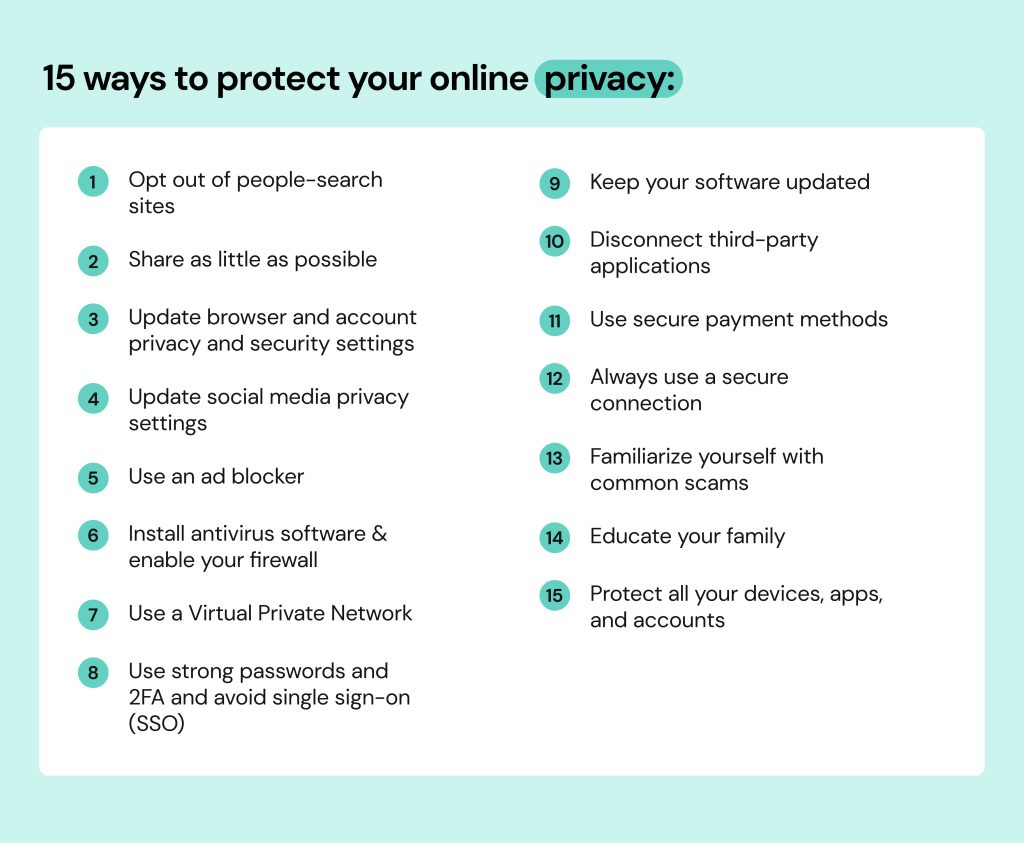
1. Tighten Social‑Media Privacy Settings
Start by auditing every platform you use. Switch profiles from “public” to “friends only,” and remove location tags from old photos. If a platform offers a “limit who can look you up by email or phone,” enable it. Remember, even a private account can be scraped if your posts are shared by friends, so think twice before posting personal details at all.
2. Use Strong, Unique Passwords
A password manager generates complex strings you don’t have to remember. Pair each password with two‑factor authentication (2FA) whenever possible—SMS is okay, but authentication apps or hardware keys are far more resistant to interception.
3. Scrub Your Digital Footprint
Search your name (including variations like “John A. Doe”) on Google and image search. If you spot an outdated resume, a public forum post, or a photo showing your home’s street sign, request removal. Many sites honor “right to be forgotten” requests, especially in the EU, but even a polite email can work for smaller blogs.
4. Opt Out of Data‑Broker Sites
Services such as Whitepages, Spokeo, and MyLife aggregate public records and sell them. Most offer a free opt‑out process—though it can be tedious. There are paid tools that automate the paperwork; choose one only after checking reviews for legitimacy.
5. Guard Your Email Address
Consider creating a “public” email for newsletters, sign‑ups, and anything that doesn’t require your real identity. Keep your primary inbox for banking, work, and personal communication. This separation limits the pool of addresses a doxer can harvest.
6. Secure Your Devices
Enable full‑disk encryption on laptops and phones. Keep operating systems and apps updated; many breaches exploit outdated software. When traveling, use a reputable VPN to mask your IP address, especially on public Wi‑Fi.
Tools and Services to Strengthen Your Privacy
No single solution covers every angle, but a layered approach works best.
- Password managers. LastPass, Bitwarden, and 1Password store credentials securely and generate random passwords.
- VPNs. Look for providers that keep no logs, have a transparent privacy policy, and own their own servers (e.g., Mullvad, ProtonVPN).
- Privacy‑focused browsers. Brave or Firefox with privacy extensions (uBlock Origin, Privacy Badger) reduce tracking scripts that can later be used to build profiles.
- Secure email services. ProtonMail or Tutanota offer end‑to‑end encryption without the need for extra software.
- Identity‑protection monitors. Services like LifeLock or IdentityForce alert you when your SSN, credit cards, or personal details appear in new data breaches.
What to Do If You’ve Already Been Doxed
Discovery can be shocking, but acting fast limits damage.
- Document the exposure. Screenshot the offending page, note URLs, and capture timestamps. This evidence helps you request removal and, if needed, file a police report.
- Contact the host. Many websites have a “DMCA takedown” or “privacy removal” form. Be clear: “Please remove personal data belonging to [your name] from this page.”
- Secure compromised accounts. Change passwords immediately, enable 2FA, and review login activity for any anomalies.
- Alert financial institutions. If your banking details appear, place fraud alerts with credit bureaus and monitor statements closely.
- Consider legal counsel. In many jurisdictions, malicious doxing violates harassment or privacy statutes. A lawyer can advise on cease‑and‑desist letters or civil actions.
Frequently Asked Questions
Is it possible to be completely anonymous online?
True anonymity is extremely hard to achieve, especially if you use services that require real‑world verification (like banking). However, by minimizing data exposure, using pseudonyms, and employing privacy‑enhancing tools, you can make yourself a very unattractive target.
Can a VPN stop a doxer from finding my address?
A VPN hides your IP address, which protects location data tied to your internet connection. It won’t erase information that’s already public—such as a home address listed in a voter registration—but it does prevent attackers from linking new online activity to your physical location.
How often should I audit my privacy settings?
At least once every six months, or immediately after a major platform update. Changes in default privacy policies can inadvertently expose data you thought was hidden.
Do data‑broker removal requests actually work?
They can, especially for smaller sites that respect opt‑out requests. Larger aggregators may take longer or require repeated requests, but persistence usually pays off.