How to Spot Malicious Apps vs. Viruses and Protect Your Device
When a notification warns you about a “malicious app” or a “virus,” the line between the two can feel blurry. Both threaten privacy, drain batteries, and can even steal money, yet they originate from different tactics. Knowing the subtle clues that set them apart is the first step toward a cleaner, safer digital life.
Understanding the Core Difference
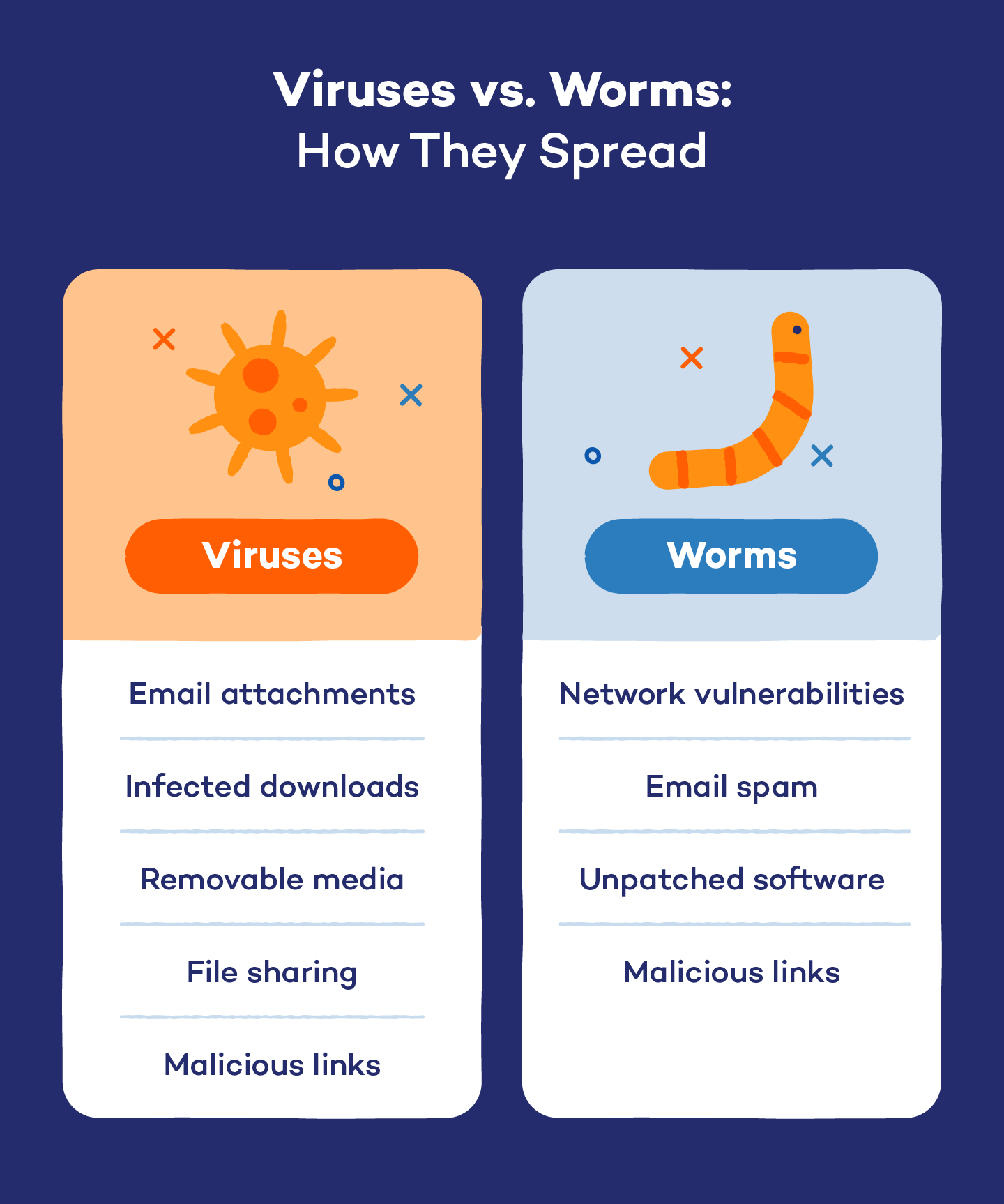
Malicious apps are typically legitimate‑looking programs that have been crafted to perform hidden, harmful actions once installed. They often masquerade as games, utilities, or productivity tools. In contrast, a virus is a self‑replicating piece of code that spreads by attaching itself to other files or apps, sometimes without any user interaction.
Think of a malicious app as a Trojan horse—its purpose is deception, while a virus behaves more like a contagious disease, seeking out new hosts. This distinction matters because the detection methods and mitigation strategies can differ.
Red Flags That Hint at a Malicious App
Excessive permissions. If a flashlight app asks for contact access or a weather widget requests location data at all times, that mismatch should raise eyebrows.
Unusual network activity. Apps that constantly ping remote servers, especially when you’re not actively using them, may be sending data behind your back.
Poor developer reputation. Check the publisher’s other offerings and read recent reviews. A brand‑new developer with a single app and no support page is a warning sign.
Hidden costs. Some apps appear free but embed subscription traps or in‑app purchases that unlock core features only after you’ve paid—sometimes without clear disclosure.
Typical Behaviors of a Virus
Viruses often arrive as attachments in emails, disguised links, or bundled with seemingly harmless software. Once executed, they may:
- Duplicate themselves across directories.
- Modify system files to ensure persistence.
- Consume CPU resources, causing noticeable slowdowns.
- Trigger pop‑ups or redirect browsers to ad‑laden pages.
Because viruses aim to proliferate, they frequently exploit known vulnerabilities. That’s why keeping your operating system and apps up to date is a frontline defense.
Tools You Can Trust for Detection
Modern security suites combine signature‑based scanning with behavior analysis. On Android, reputable apps like Google Play Protect or Malwarebytes monitor installations in real time. For Windows and macOS, products such as Bitdefender or Microsoft Defender offer on‑demand scans and automatic quarantine.
In addition, built‑in platform features—like iOS’s App Store review process or Android’s “Install from unknown sources” toggle—provide a baseline filter. Remember, no tool is infallible; a layered approach works best.
Best Practices to Keep Both Threats at Bay
Scrutinize app sources. Stick to official stores whenever possible, and avoid side‑loading apps from obscure websites.
Read permission prompts. Modern OSes let you grant permissions selectively. Deny anything that seems unrelated to the app’s core function.
Maintain regular backups. If a virus ever encrypts or corrupts your files, a recent backup can be a lifesaver.
Enable automatic updates. Both apps and the operating system receive patches that close security holes exploited by malicious software.
Use a reputable password manager. Strong, unique passwords limit the damage if a malicious app tries to harvest credentials.
When to Seek Professional Help
If you notice persistent pop‑ups, unexplained data usage spikes, or the device refuses to boot normally, it may be time to consult a technician. Some infections embed deep within the firmware, making DIY removal risky. Professionals can re‑flash the device safely, ensuring no hidden backdoors remain.
Frequently Asked Questions
Can a malicious app turn into a virus?
Usually not. A malicious app remains a single program that behaves badly, whereas a virus is designed to copy itself. However, an app can contain a virus payload, effectively merging the two threats.
Do iOS devices get viruses?
Because Apple’s ecosystem tightly controls app distribution and sandboxing, classic viruses are rare on iOS. Nonetheless, malicious apps can still appear, especially on jail‑broken devices.
Is it safe to use free antivirus software?
Many free solutions provide basic scanning and real‑time alerts, which are sufficient for most users. For advanced features like VPN protection or ransomware shielding, a paid tier may be worthwhile.
How often should I scan my device?
Running a quick scan once a week and a full deep scan monthly strikes a good balance between security and performance.