How to Write Clear Pseudocode on Paper: A Simple Guide
When you sit down with a pen and a fresh sheet, the act of writing pseudocode on paper can feel oddly satisfying. It strips away language syntax and forces you to think in plain‑English steps, making the underlying algorithm easier to spot. This guide walks you through a practical, no‑frills approach that works whether you’re a student prepping for exams or a developer sketching ideas before typing a line of code.
Why Paper Still Matters for Pseudocode
Digital editors are convenient, but they also introduce distractions—auto‑complete, formatting quirks, and the temptation to jump straight into code. A sheet of paper offers three subtle advantages. First, the tactile feedback of a pen helps many people retain information longer. Second, the limited space forces you to be concise, trimming away unnecessary details. Third, you can rearrange or cross out sections without worrying about version control, letting the thought process remain fluid.
Step‑by‑Step Process for Writing Pseudocode on Paper
Follow these five steps to turn a vague idea into a clean, actionable outline.
- Define the problem in one sentence. Before you write any line, capture the core goal—“Sort a list of names alphabetically” or “Find the shortest path between two nodes.” This anchors your subsequent steps.
- List the inputs and outputs. Jot down what you start with and what you expect at the end. For the sorting example, inputs might be array of strings, output sorted array.
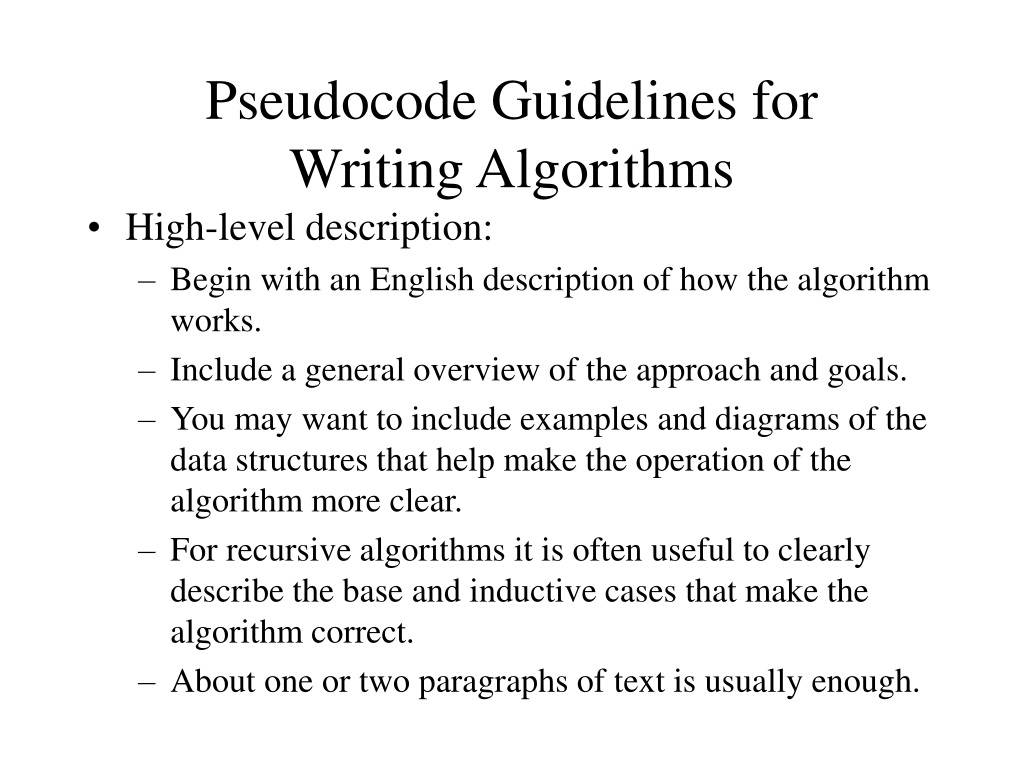
- Break the solution into high‑level blocks. Sketch the major phases—initialization, processing loop, final output. Use short headings like Initialize variables or Iterate through array.
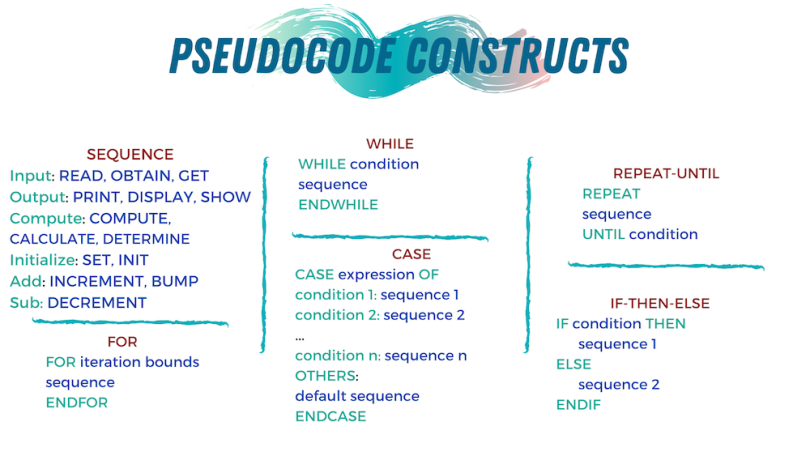
- Write the detailed steps. Under each block, write plain statements that describe the action. Keep language simple: “Set
ito 0”, “Ifarr[i] > arr[i+1], swap them”. Avoid language‑specific keywords; focus on the logic. - Review and refine. Read the whole script aloud. Does each step flow naturally? If a line feels vague, replace it with a more precise description. Cross out anything that doesn’t directly contribute to the goal.
Tips for Readability and Structure
Even on paper, good formatting makes a difference. Here are some habits that keep your pseudocode tidy.
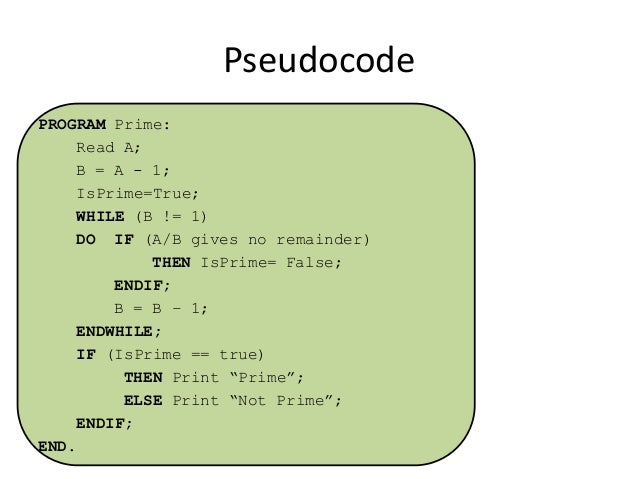
- Indentation matters. Use a consistent indent for nested loops or conditionals. A simple two‑space indent is enough to signal hierarchy.
- Use meaningful variable names. Instead of
xortemp, trycurrentIndexorswapFlag. It reduces the mental load when you revisit the page later. - Separate sections with blank lines. A visual break tells the brain that a new phase is starting, mirroring how you’d structure functions in real code.
- Employ symbols sparingly. Arrows (→) can indicate assignment, and double arrows (⇐) can denote return values. Overusing symbols, however, can make the page look cluttered.
Common Pitfalls to Avoid
Newcomers often fall into a few traps that defeat the purpose of paper‑based pseudocode.
- Over‑engineering. Adding unnecessary sub‑steps or trying to write in a specific programming language’s syntax defeats the abstraction goal.
- Leaving out edge cases. It’s tempting to focus on the “happy path.” Make a quick note of how you’d handle empty inputs, null values, or extreme sizes.
- Relying on vague verbs. Words like “process” or “handle” are too generic. Replace them with concrete actions: “compare,” “append,” “remove.”
- Skipping the review. The moment you finish, you’re likely to miss a logical gap. A brief read‑through—preferably after a short break—catches most oversights.
Putting It All Together: An Example
Suppose you need to find the maximum number in a list. Here’s how the paper draft might look.
1. Input: list numbers
2. Output: maxValue
3. Initialize
maxValue← first element of numbers4. For each
nin numbers starting from the second element:5. If
n>maxValuethen6. Set
maxValue←n7. Return
maxValue
This layout shows the problem, inputs/outputs, and a clean stepwise flow. Notice the indentation for the loop and the conditional, and the use of plain English verbs like “Initialize” and “Set.”
FAQ
Is it better to use a notebook or loose sheets for pseudocode?
Both work, but a notebook keeps all related drafts together, making it easier to track the evolution of an algorithm. Loose sheets are handy when you want to discard a version quickly or start fresh without erasing previous attempts.
Can I combine diagrams with pseudocode on the same page?
Absolutely. A quick sketch of a flowchart or a small diagram can clarify loops or data structures, especially for complex problems. Just keep the visuals simple so they don’t dominate the textual steps.
How detailed should the pseudocode be for a team discussion?
Aim for enough granularity that every participant can follow the logic without writing actual code. Include key decisions, loop boundaries, and any assumptions, but omit language‑specific syntax that could spark unnecessary debates.
Do I need to rewrite pseudocode after coding?
Not necessarily, but revisiting the paper version can reveal mismatches between the intended algorithm and the implemented one. A quick side‑by‑side check often highlights subtle bugs before they become entrenched.