Is 27 Inches The Sweet Spot for Your Next Monitor?
Walk into any modern home office or gaming setup, and you’re likely to see a similar silhouette: a crisp, square frame sitting just below 30 inches wide. It’s the 27-inch monitor. For years, this specific size has held the crown as the default recommendation for almost everyone. It’s not just a marketing happy medium; it represents a genuine balance between screen real estate, resolution, and desk footprint. But as technology evolves and prices shift, the question of whether 27 inches is still the perfect monitor size requires a more nuanced look. It isn’t a one-size-fits-all answer, but for the majority of users, it remains the most compelling starting point.
The Resolution Reality: Why PPI Matters More Than Width
The true magic of a 27-inch display isn’t the physical size itself; it’s what happens when you pair that size with 1440p (QHD) resolution. This combination delivers a Pixels Per Inch (PPI) density that is widely considered the sweet spot for visual clarity. At 27 inches, 1440p provides enough pixel density that individual pixels become invisible at a normal viewing distance, yet it doesn’t demand the stratospheric hardware requirements of 4K on the same screen size. You get text that is razor-sharp for coding or writing, images that look detailed without looking artificially smooth, and performance that is manageable for mid-range gaming rigs.
Here is how the comparison generally plays out:
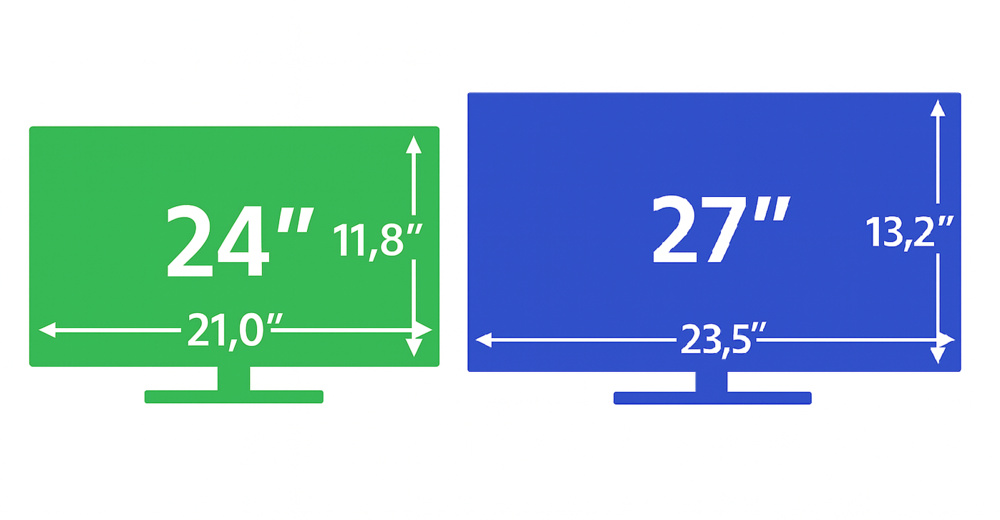
- 24 inches at 1080p: Good PPI, but you run out of screen space quickly. You’ll find yourself tab-switching constantly instead of having multiple windows side-by-side.
- 27 inches at 1440p: The Goldilocks zone. More workspace than 24-inch screens, but sharper and more performant than 27-inch 1080p displays.
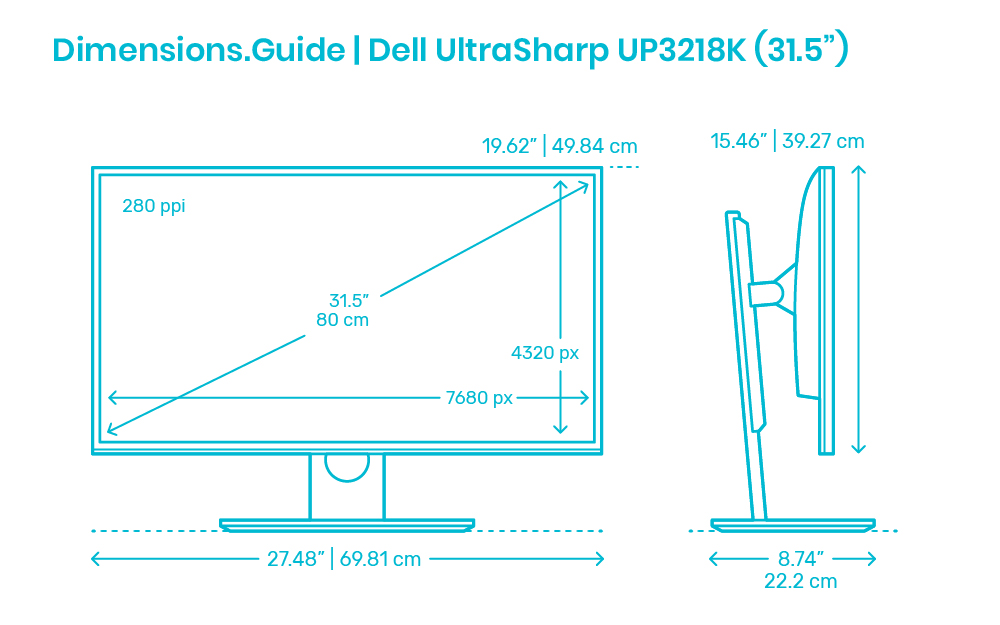
- 32 inches at 4K: Stunning clarity, but requires a powerful GPU to drive at high refresh rates. The PPI is high, but the cost of entry for both the panel and the graphics card is significantly elevated.
Ergonomics and The Field of View
Consider your desk setup. Most standard desks are between 48 and 64 inches wide. A 27-inch monitor fits comfortably within this space without dominating the entire surface. You can center it easily, leaving room for a keyboard, mouse, and perhaps a notebook or coffee mug. When you move up to 32 inches or larger ultrawide displays, you often have to push the panel flush against the back edge of the desk to keep it viewable, which can lead to awkward neck craning if the panel isn't perfectly centered or if you sit too far back.
Eye tracking becomes a factor here, too. With a 27-inch screen, your natural field of view can encompass the entire panel without requiring excessive head movement. This is crucial for productivity and reduces physical strain. Larger screens often require you to turn your head to see content on the far margins, breaking immersion in games and reducing efficiency in editorial tasks. The human eye can process the center of a 27-inch display naturally, while the periphery remains accessible without conscious effort.
Gaming Versus Professional Work
Why is 27 inches often called the perfect monitor size for gamers? It’s about immersion without diminishing returns. In competitive titles, you want to see your character’s surroundings clearly without needing to look away from the center of the screen to spot an enemy. A 27-inch panel provides enough peripheral vision to enhance immersion, but not so much that you lose the focus of the central action. For casual single-player games, the immersion is deep enough to transport you into the world, yet manageable enough that you don’t miss critical UI elements tucked away in the corners.
For creative professionals, the story is similar. Graphic designers and video editors benefit from the extra vertical and horizontal space compared to 24-inch displays. You can have a toolbar open on the left, your main workspace in the center, and a preview window on the right. However, color accuracy and panel technology (IPS, OLED, or Mini-LED) matter just as much as the size. A high-quality 27-inch IPS panel often outperforms a cheaper 32-inch VA panel in terms of color consistency and viewing angles.
When to Look Elsewhere
Despite its dominance, 27 inches isn't the right choice for everyone. If you are a casual office worker handling simple documents and web browsing, a 24-inch 1080p monitor is cheaper and perfectly adequate. The lack of pixels won't hinder your productivity, and the lower cost allows you to allocate budget elsewhere. Conversely, if you are a high-end gamer or a professional video editor working with 4K timelines, jumping straight to a 32-inch 4K display is a worthy investment. The extra clarity justifies the higher cost and performance demand.
Curved monitors also change the equation. A 27-inch curved panel offers mild immersion benefits without the extreme curvature found on larger screens. It feels natural and doesn't distort the image at the edges. For ultrawide setups, you are essentially blending two 27-inch panels into one. This changes the aspect ratio entirely and requires software support to handle window management effectively.
Quick FAQ
Is 27 inches better than 24 inches?
Yes, for most users. The extra space allows for better multitasking and immersion, especially when paired with 1440p resolution. 24 inches is best if you have a very small desk or a limited budget.
Do I need 4K on a 27-inch monitor?
It depends on your GPU. 4K at 27 inches offers incredible sharpness, but it demands significant processing power. If you are gaming, 1440p is the more balanced choice for performance and visuals.
What is the ideal viewing distance for a 27-inch monitor?
About 24 to 30 inches from your eyes. Sitting too close can make individual pixels visible, while sitting too far reduces the immersive benefit of the screen’s size.