SAP Business One Modules: A Comprehensive Overview for SMBs
If you are managing a small or mid-sized business, you have likely reached a point where spreadsheets just don’t cut it anymore. This is where ERP systems come into play, and SAP Business One is often the top contender on the shelf. But once you install the software, you are left with a dashboard full of icons and terms like "Financials," "Sales," and "Inventory." What do they actually do, and how do they talk to each other?
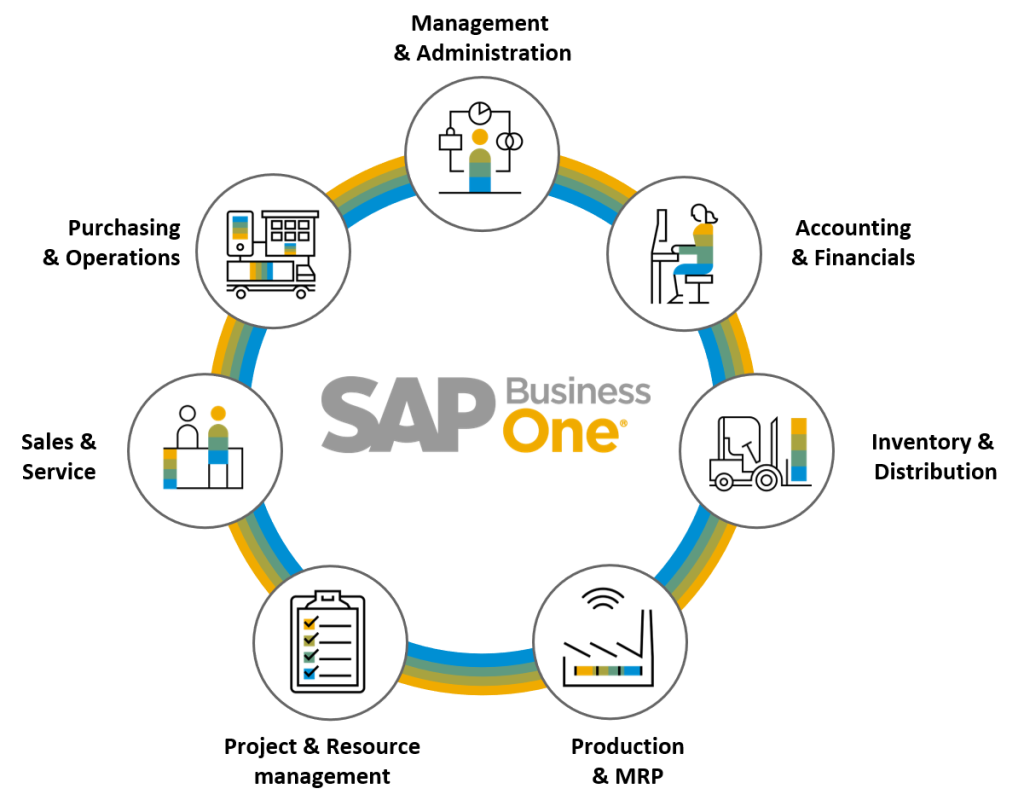
SAP Business One isn't just a single tool; it is a modular system. The beauty lies in the fact that these modules don't exist in silos. When you update a sales order, inventory levels drop automatically. When an invoice is created, the general ledger updates in real-time. Understanding this interconnectedness is key to unlocking the software's potential. Let’s dive into the core modules that keep the business engine running, followed by some specialized tools that can help specific industries thrive.
The Core Financial Foundation
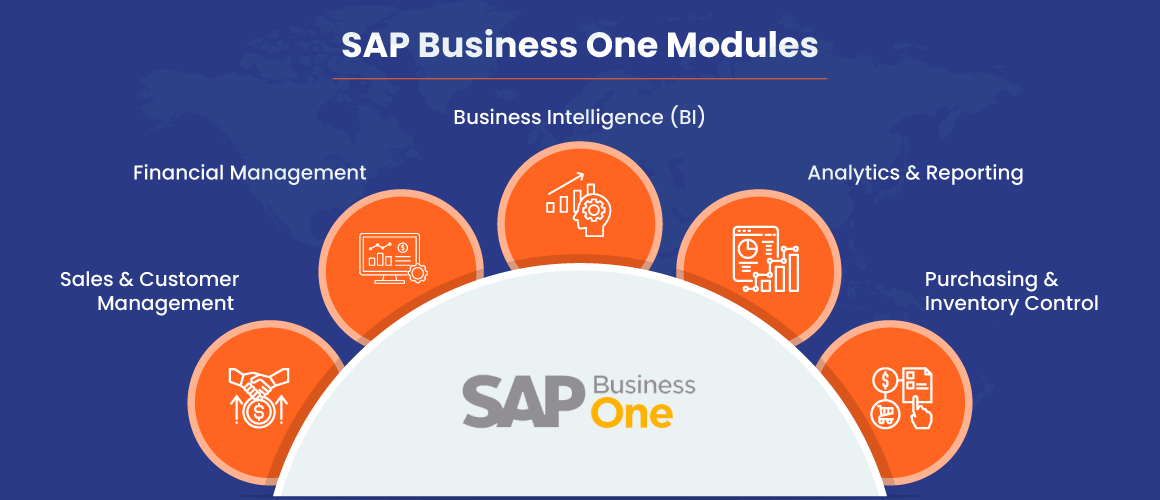
You cannot run a business without money, and in SAP Business One, the Financials module is the heartbeat of the system. It handles everything from the general ledger to accounts payable and receivable. But it’s more than just bookkeeping. It provides real-time visibility into your cash flow, which is arguably the most critical metric for growing companies.
- General Ledger: This is where all financial transactions land. It ensures your balance sheet and profit and loss statements are always accurate.
- Bank Account Management: Connect your bank feeds to reconcile transactions automatically, saving hours of manual data entry.
- Tax Engine: Depending on your region, this module handles VAT, GST, or sales tax calculations, ensuring compliance without the headache.
For many users, the financials module is where they start. It provides the baseline data that every other module relies on. If your financials are messy, your entire ERP implementation will struggle.
Sales and Marketing: Driving Revenue
Once your books are in order, you need to sell. The Sales and Marketing module in SAP Business One is designed to manage the entire customer journey, from the first lead to the final invoice. It integrates closely with CRM functionalities, meaning you can track customer interactions directly within the system.
Imagine a scenario where a salesperson quotes a price to a client. In older systems, you might write that down on paper or type it into an email. With SAP Business One, the quote is a digital object. When the customer says "yes," you convert that quote into a sales order with a few clicks. The system checks stock availability, calculates taxes, and generates the invoice. It’s seamless. This reduces errors and speeds up the order-to-cash cycle significantly.
Additionally, the module includes tools for customer service and returns management. Handling an RMA (Return Merchandise Authorization) becomes less of a logistical nightmare and more of a structured process, keeping both you and the customer informed every step of the way.
Purchasing and Inventory Control
On the flip side of sales is purchasing. You need to buy goods to sell them, but you don’t want to overbuy and tie up cash in dead stock. The Purchasing and Inventory modules work in tandem to optimize this process.
When inventory levels drop below a certain threshold, the system can automatically generate purchase requisitions. You can then convert these into purchase orders for your vendors. Once the goods arrive, you receive them into your warehouse. Here’s the magic: the moment you click "Receive," your inventory count updates, and your accounts payable are adjusted. You also have the option to assign specific lots or serial numbers, which is crucial for industries that need strict traceability, like electronics or pharmaceuticals.
Inventory isn’t just about counting boxes. It’s about understanding the cost of goods sold (COGS). SAP Business One supports various inventory valuation methods, including FIFO (First-In, First-Out), LIFO, and Average Cost. Choosing the right method can have a significant impact on your reported profits and tax liabilities.
Manufacturing and Production
If you make things, the Manufacturing module is indispensable. It bridges the gap between raw materials and finished goods. At its core is the Bill of Materials (BOM). A BOM is a recipe that lists every component required to build a product, along with the labor and overhead costs associated with it.
When you create a production order, the system checks if you have enough raw materials. If you do, it reserves them. If you don’t, it can suggest purchase orders to acquire the missing parts. Once production is complete, you record the output, and the system updates the inventory of finished goods while consuming the raw materials. This real-time cost tracking helps you determine the true profitability of each product line.
Solution Add-Ons (SAOs)
SAP Business One is highly flexible, and this is where Solution Add-Ons come in. These are specialized modules developed by SAP partners to address specific industry needs. Think of them as DLCs (Downloadable Content) for your ERP. Common SAOs include:
- Service Management: For companies that offer maintenance or repair services, this helps schedule technicians and track service contracts.
- Project Management: Essential for construction, consulting, or professional services firms, allowing you to track time and materials against specific projects.
- HR & Payroll: While some businesses use third-party tools for HR, SAP offers modules to manage employee data, attendance, and payroll processing.
Before implementing an SAO, it’s wise to evaluate if your in-house team actually needs it. Sometimes, simple customization or workflow integration is enough. Don’t buy a feature just because it exists; buy it because it solves a pain point.
Conclusion
SAP Business One offers a robust suite of tools that, when used correctly, can transform how a small business operates. The key is integration. Don’t view these modules as separate apps. View them as parts of a single, living organism. When sales triggers inventory, and inventory triggers purchasing, and purchasing updates financials, you get a holistic view of your business health. Start with your core needs—usually Financials and Inventory—and expand outward as your business grows. The platform is built to scale with you, so take the time to explore each module’s full potential.
Frequently Asked Questions
Can I install only specific modules in SAP Business One?
Yes, SAP Business One is modular. You can start with just Financials and Sales, then add Inventory or Manufacturing later as your needs grow. However, most core modules are included in the standard license, so you don’t necessarily pay extra for basic functionality.
How does SAP Business One handle multi-currency transactions?
The system handles multi-currency seamlessly. You can set up exchange rates, and it will automatically convert amounts when posting transactions in different currencies. This is essential for businesses that import or export goods internationally.
Is cloud deployment available for SAP Business One?
Yes, SAP Business One can be deployed on-premise, in the cloud, or in a hybrid model. Cloud hosting is popular for SMBs because it reduces the need for dedicated IT hardware and allows for remote access, which is crucial for modern, flexible work environments.
Do I need to hire a specialized partner to implement SAP Business One?
While technically you can install the software yourself, SAP strongly recommends working with an authorized implementation partner. These partners provide industry-specific expertise, help with customization, and offer critical support during the transition phase, ensuring you get the most out of the system.