The Best 1440p 144Hz Monitors: Top Picks & Buying Guide
When you’re hunting for a display that can keep up with fast‑paced games and crisp creative work, the sweet spot often lands on a 1440p resolution paired with a 144Hz refresh rate. That combination delivers sharper images than 1080p while still offering buttery‑smooth motion without the price tag of a 4K‑144Hz panel. Below, we break down what to look for, highlight a handful of models that consistently impress, and give you a roadmap for matching a monitor to your setup.
What Makes a 1440p 144Hz Monitor Stand Out
Resolution and refresh rate are only the headline numbers. A truly great 1440p 144Hz monitor also needs a panel that can faithfully render colors, maintain low input lag, and handle the higher pixel count without sacrificing response time. In practice, this means paying attention to the type of panel—IPS, VA, or TN—each of which brings its own trade‑offs in color accuracy, contrast, and viewing angles. Likewise, features like Adaptive Sync (FreeSync or G‑Sync) can smooth out frame‑rate spikes, preventing the dreaded tearing that ruins immersion.
Key Features to Consider
- Panel technology: IPS panels excel in color consistency, making them ideal for designers and gamers who value vibrant visuals. VA panels offer deeper blacks, which can enhance horror or cinematic experiences. TN panels are the fastest in response time but often lag in color fidelity.
- Response time: Look for 1 ms to 4 ms gray‑to‑gray (GtG) specs if competitive gaming is a priority. Anything higher may introduce ghosting during rapid movements.
- Adaptive Sync support: A monitor that’s certified for NVIDIA G‑Sync or AMD FreeSync will dynamically match its refresh rate to the GPU output, delivering smoother gameplay.
- Connectivity: HDMI 2.0b and DisplayPort 1.4 are the standards that reliably push 1440p at 144Hz. USB‑C with DisplayPort Alt Mode is a bonus for newer laptops.
- Ergonomics: Height adjustment, swivel, pivot, and VESA mount compatibility keep the screen comfortable for long sessions.
Top Picks for 2024
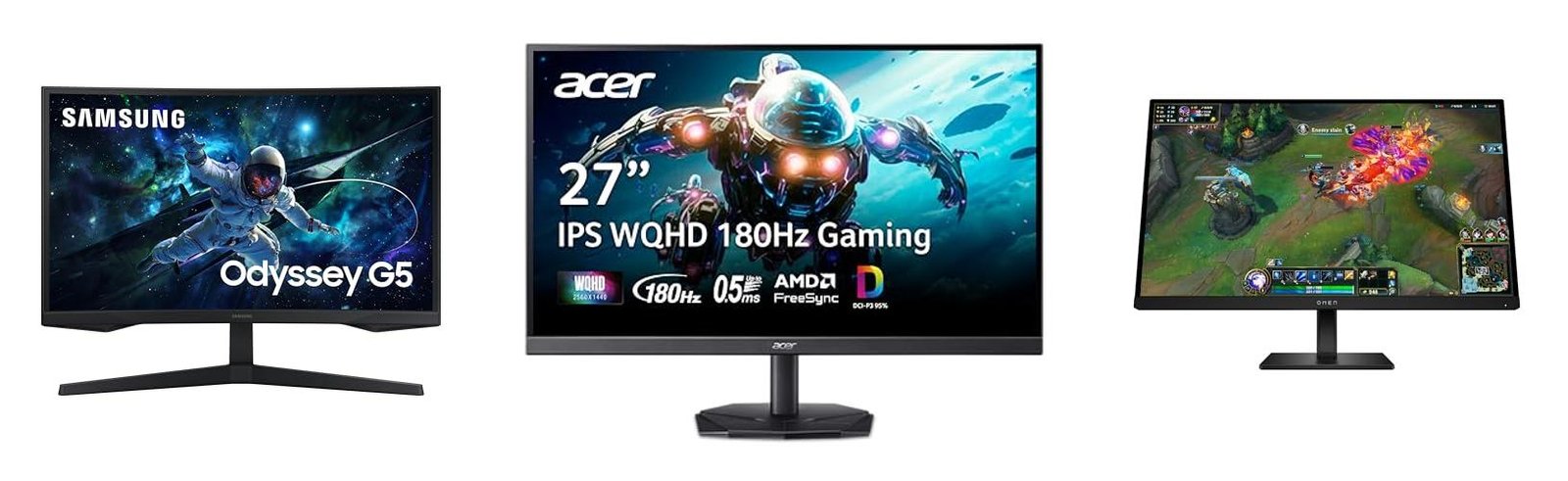
- LG 27GL850‑B – A 27‑inch IPS panel that balances color accuracy with a 1 ms GtG response. It supports both FreeSync Premium and G‑Sync Compatible, making it a safe bet for mixed‑GPU households.
- Samsung Odyssey G7 (32″) – This VA‑based 32‑inch model impresses with a 1000R curvature, deep blacks, and a 1 ms response. Adaptive Sync works seamlessly with AMD cards, and its HDR600 rating adds a modest punch for media consumption.
- Acer Nitro XV272U – Featuring an IPS panel, a 165 Hz over‑clock (usable at 144 Hz without hassle), and a factory‑calibrated sRGB 99% coverage, it’s a solid choice for creators who also game.
- ASUS TUF Gaming VG27AQ – Known for durability, this 27‑inch IPS display offers ELMB (Extreme Low Motion Blur) technology, effectively reducing motion blur without sacrificing refresh.
- MSI Optix MAG274QRF‑B – A 27‑inch IPS panel with a subtle 1500R curvature, providing an immersive feel without the extreme curve of larger VA models. It includes both FreeSync and G‑Sync compatibility.
How to Choose the Right Size and Panel Type
Size matters not just for aesthetics but also for pixel density. A 27‑inch screen at 1440p typically yields about 109 PPI, a sweet spot for sharp text and detailed textures. If you sit further away—say, on a larger desk—a 32‑inch VA panel can feel more immersive, while still maintaining a comfortable pixel density. Conversely, a 24‑inch model may feel cramped unless you’re using a very close viewing distance.
When it comes to panel choice, think about your primary use case. Designers and photo editors gravitate toward IPS because of its consistent color reproduction across angles. Gamers who prioritize deep contrast for atmospheric titles often prefer VA, especially in darker rooms. TN is rare nowadays, but its ultra‑low response can still appeal to esports athletes who demand the absolute fastest feedback.
Tips for Getting the Most Out of Your Monitor
First, ensure your graphics card can actually drive 1440p at 144 Hz. Most modern RTX or RX series GPUs handle this comfortably, but older hardware may need a settings tweak or a lower refresh rate. Next, enable the appropriate Adaptive Sync option in both your GPU driver and the monitor’s on‑screen display to avoid tearing. If you’re a color‑critical user, consider a hardware calibration tool to fine‑tune the panel beyond the factory preset.
Don’t forget to adjust the monitor’s scaling in your operating system. Windows and macOS both let you increase UI size without sacrificing the native resolution, which can alleviate eye strain on higher‑density screens. Finally, keep the firmware updated; manufacturers occasionally release patches that improve response times or add new sync features.
Frequently Asked Questions
Do I need a G‑Sync compatible monitor if I have an AMD graphics card? Not necessarily. AMD’s FreeSync works with most modern monitors, and NVIDIA cards now support “G‑Sync Compatible” mode on many FreeSync displays, offering decent cross‑brand performance.
Can a 1440p 144Hz monitor replace a 4K TV for movies? While 1440p offers excellent sharpness, it won’t match the pixel count of 4K. However, the higher refresh rate and better color gamut of a quality 1440p monitor often provide a more fluid and vivid viewing experience for most content.
Is HDR worth it on a 1440p 144Hz panel? HDR can add noticeable contrast and brightness improvements, but its impact depends on the monitor’s peak brightness and local dimming capabilities. For casual gaming and media, HDR on a good 1440p panel is a nice enhancement, though not a game‑changer.
Should I prioritize a higher refresh rate over a larger screen? It depends on your priorities. Competitive gamers usually value higher refresh rates (165 Hz or 180 Hz) more than extra screen real‑estate. Content creators and casual gamers often find a larger, well‑calibrated screen more beneficial.
![Best 1440p 144Hz Monitors For Gaming [2026 Ultimate Guide]](https://www.displayninja.com/wp-content/uploads/2025/04/Best-HDR-Monitors-1024x576.jpg)