Top 7 Best Coding Laptops Under ₹50,000 You Can Trust
What Makes a Laptop Worthy of a Developer’s Day‑to‑Day?
When you’re juggling code editors, local servers, and occasional virtual machines, the hardware you sit behind matters more than you might think. A responsive keyboard, enough RAM to keep multiple IDEs open, and a display that doesn’t strain your eyes become non‑negotiables. Yet you don’t need a flagship price tag to hit those marks—many mid‑range machines hit the sweet spot for students, freelancers, and junior engineers alike. Below, we break down the specs that truly matter for coding, then match them with the best options you can actually buy for under ₹50,000 in India.
Key Specs to Prioritise on a Sub‑₹50K Budget
- Processor: Aim for at least an Intel Core i5 (11th Gen) or AMD Ryzen 5 4500U. Both deliver smooth performance for compilers and lightweight containers.
- Memory: 8 GB DDR4 is the baseline; if you can find 12 GB, great, but 8 GB with a single‑channel 2666 MHz stick is perfectly adequate for most web development tasks.
- Storage: A fast SSD (256 GB or larger) cuts boot times dramatically. NVMe drives are preferable, but a SATA SSD still outperforms a hard disk by a mile.
- Display: Look for a 15.6‑inch Full HD (1920×1080) panel with thin bezels. Matte finishes reduce glare during long coding marathons.
- Keyboard: A full‑size layout with decent travel and backlighting (even a single‑zone light helps) makes typing comfortable.
Top Picks Under ₹50,000
1. Lenovo Ideapad Slim 3i (Intel)
This model pairs an 11th Gen Intel Core i5‑1135G7 with 8 GB of DDR4 RAM and a 512 GB NVMe SSD. The 15.6‑inch Full HD anti‑glare screen is bright enough for indoor work, and the keyboard includes a subtle backlight. Priced around ₹48,000, it ticks every box for a budget development laptop.
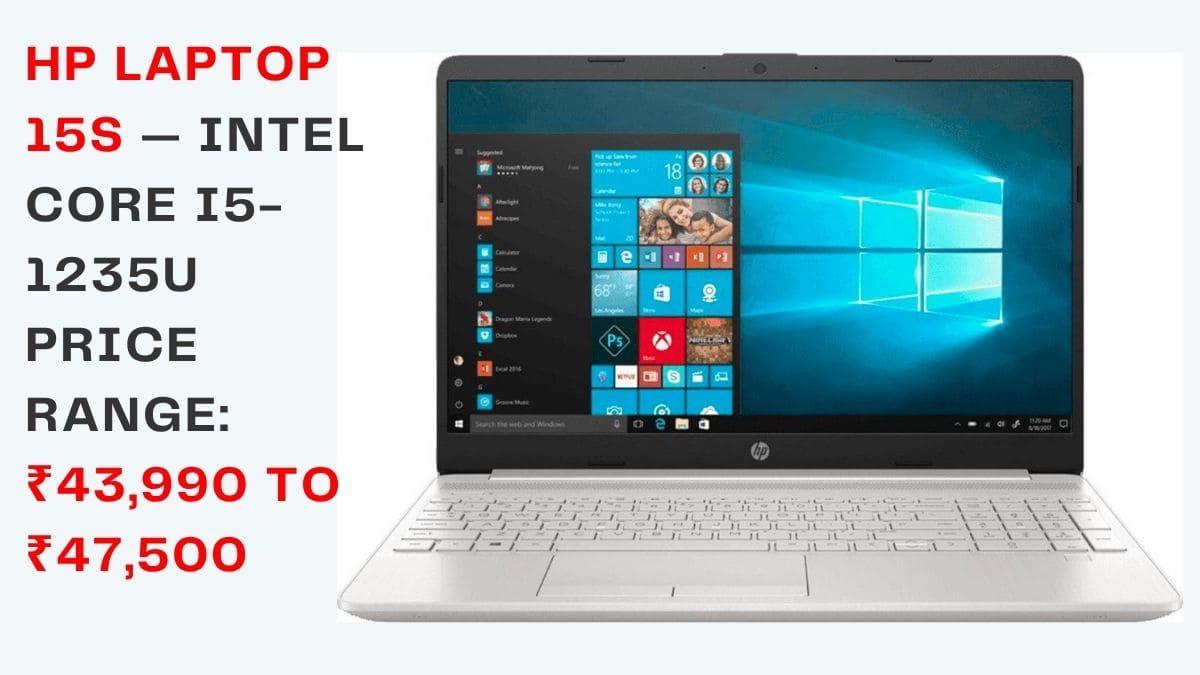
2. HP 15s (AMD Ryzen)
Powered by a Ryzen 5 5500U, the HP 15s offers 8 GB RAM (expandable) and a 256 GB SSD. The device’s battery life often stretches beyond six hours of mixed usage, which is handy for those who code on the go. At roughly ₹44,000, it’s a solid alternative for fans of AMD’s efficient cores.
3. Dell Inspiron 15 3000 (Intel)
Dell’s entry‑level Inspiron sports a Core i3‑1115G4, but it can be upgraded to an i5 configuration that still stays under the price ceiling. With a 1 TB HDD paired with a 256 GB SSD (dual‑storage option), it provides ample space for project files while keeping the OS snappy. Expect to pay near ₹46,000 for the i5‑plus‑SSD variant.
4. Asus VivoBook 15 X515 (AMD)
Asus packs a Ryzen 5 4500U, 8 GB RAM, and a 512 GB SSD into a sleek chassis that weighs just 1.8 kg. The NanoEdge display gives you a near‑borderless look, and the fingerprint sensor adds a touch of security. It typically retails for about ₹49,000.
5. Acer Aspire 5 (Intel)
The Aspire 5 balances affordability with a respectable feature set: a Core i5‑1135G7, 8 GB RAM, and a 256 GB NVMe SSD. Its larger 15.6‑inch screen uses an IPS panel, delivering decent colour accuracy—useful if you dabble in UI design alongside coding. Pricing hovers around ₹45,000.
6. MSI Modern 14 (Intel)
Although MSI is known for gaming rigs, the Modern 14 line targets professionals. The model with a Core i5‑1155G7, 8 GB RAM, and a 512 GB SSD fits neatly under the budget at about ₹49,500. Its compact 14‑inch chassis is lighter for frequent travel, and the keyboard includes a full‑stroke, backlit layout.
7. Lenovo ThinkBook 14 (AMD)
ThinkBook 14 offers a Ryzen 5 4600U, 8 GB RAM, and a 256 GB SSD, wrapped in a business‑grade build that feels sturdier than typical consumer laptops. The inclusion of a USB‑C port for fast data transfer and charging adds future‑proofing. You can often find it on sale for just under ₹50,000.
How to Stretch Your Budget Even Further
Many of the models above come with configurable options. If you’re comfortable installing your own RAM, buying a base version with 4 GB and upgrading to 8 GB yourself can shave off a few hundred rupees. Likewise, swapping a modest HDD for an inexpensive SSD boost speeds dramatically without breaking the bank. Keep an eye on festive sales—Indian e‑commerce platforms frequently discount these laptops by 10–15 %.
Frequently Asked Questions
Can a laptop under ₹50,000 handle heavy development tools like Docker?
Generally, yes—for most everyday Docker use, an i5 or Ryzen 5 with 8 GB RAM will manage a few containers without hiccups. Intensive workloads (multiple large images or GPU‑accelerated builds) may still strain the hardware, but for learning and moderate projects the budget machines perform admirably.
Is a 256 GB SSD enough for a developer?
It depends on your workflow. If you primarily code in text‑based languages and keep repositories on GitHub, 256 GB is often sufficient. However, if you work with large datasets, virtual machines, or multiple IDEs with plugins, opting for a 512 GB SSD (or adding an external drive) provides a safer cushion.
Should I prioritize a larger screen over portability?
Most developers appreciate a 15.6‑inch Full HD display for its comfortable workspace, but a 14‑inch model like the MSI Modern 14 offers better mobility. Choose based on how often you’ll move between cafés, coworking spaces, or travel for meetings.
Do these laptops support Linux installations?
Yes—most Intel and AMD laptops in this price range have good Linux compatibility. Minor tweaks may be needed for Wi‑Fi or touchpad drivers, but the community provides ample guides for each model.