Why iPhone 7 Plus Battery Health Drops Fast – What’s Behind It
If you’ve owned an iPhone 7 Plus for a while, you may have noticed the iPhone 7 Plus battery health percentage sliding down faster than expected. It’s easy to blame a defective charger or a mischievous app, but the reality is a blend of chemistry, software, and everyday habits. Understanding the underlying reasons can help you slow the decline and get the most out of your device.
Natural Battery Aging: The Chemistry Factor
All lithium‑ion cells degrade over time. As you charge and discharge the battery, tiny structural changes occur inside the electrodes, reducing the amount of lithium that can move back and forth. This gradual loss is inevitable and accelerates after about 500 full charge cycles, which many iPhone 7 Plus owners reach within two to three years of regular use.
Temperature’s Silent Sabotage
Heat is a notorious enemy of battery longevity. Exposing your iPhone to high temperatures—whether it’s a sunny car dashboard or a prolonged gaming session—can speed up chemical reactions inside the cell, causing capacity to shrink more quickly. Conversely, extremely cold environments temporarily lower performance but don’t cause permanent damage; the real risk lies in repeated thermal stress.
Background Activity and Power‑Hungry Apps
iOS is efficient, but some apps refuse to sleep. Location services, Bluetooth scanning, and push notifications can keep the processor awake even when the screen is off. Over weeks, that extra drain forces more frequent charge cycles, nudging the health meter downward. Checking the Battery Usage section in Settings lets you spot the culprits.
Impact of iOS Updates
Apple’s software upgrades bring new features, but they also introduce fresh background processes. A major iOS release may temporarily increase power draw as the system re‑indexes data or re‑optimizes caches. While the spike usually settles, users who skip intermediate updates sometimes experience a longer‑term dip in battery health because older firmware isn’t tuned for the latest hardware tweaks.
Charging Habits That Matter
Modern iPhones include smart charging, yet certain habits still matter. Frequently letting the battery drop below 20 % before topping it up, or keeping it at 100 % for hours, can stress the cell. Ideally, aim for a 30 %–80 % sweet spot when possible. Using cheap, non‑certified chargers can also introduce voltage irregularities that hasten wear.
Battery Calibration Misconceptions
When the health percentage seems to “jump” after a reboot, it’s often a calibration quirk rather than actual capacity change. iOS occasionally recalibrates the displayed maximum capacity based on recent usage patterns. Performing a full charge‑to‑100 % and discharge to 0 % once every few months can help the system report a more accurate figure.
Hardware Issues Beyond the Battery
In rare cases, a failing power management IC or a damaged charging port can cause erratic voltage spikes, which the battery interprets as stress. If you notice sudden drops in health after a single incident—like a drop in water or a hard knock—consider a professional diagnostic. Replacing the battery alone may not resolve the issue if the underlying circuitry is compromised.
Practical Steps to Slow the Decline
- Enable Low Power Mode during long days without a charger.
- Turn off background app refresh for apps you rarely use.
- Keep the phone out of direct sunlight and avoid leaving it in hot cars.
- Use Apple‑certified cables and adapters, and avoid overnight charging whenever possible.
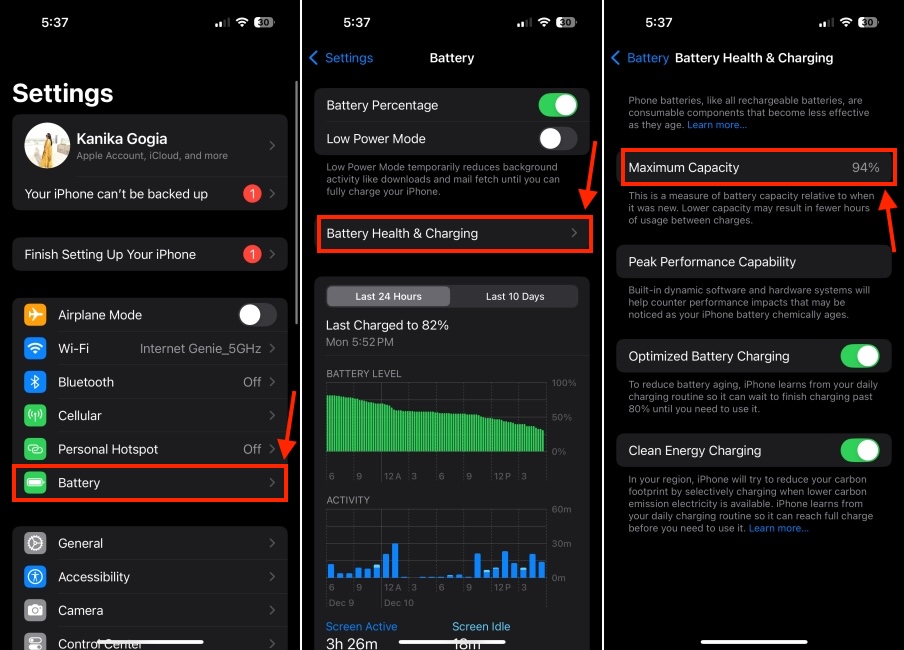
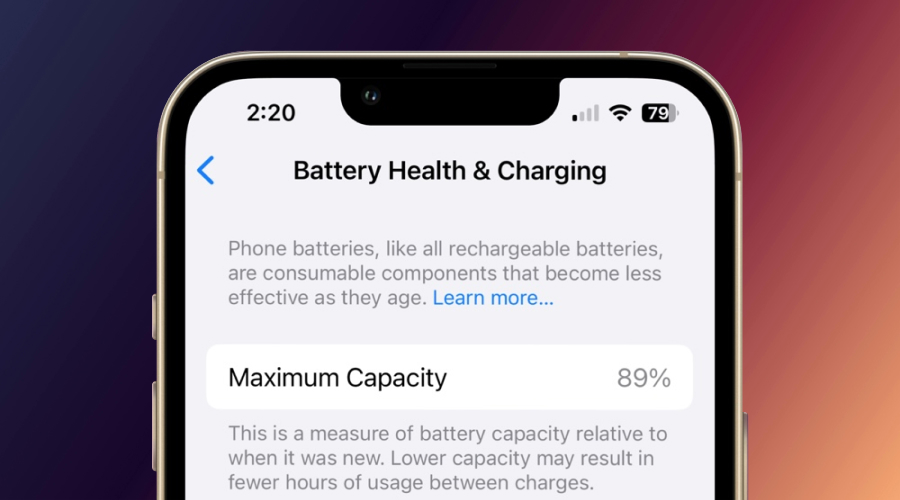
- Check Settings → Battery → Battery Health regularly to spot abnormal drops.
When to Consider a Battery Replacement
If the health reading falls below 80 %, you’ll notice noticeably shorter screen‑on time and slower performance during intensive tasks. At that point, a replacement restores the device to near‑original capacity and often improves overall responsiveness. Apple and authorized service providers can replace the battery for a fee that’s usually lower than buying a new phone.
FAQ
Why does my iPhone 7 Plus battery health drop faster after an iOS update?
Updates can trigger background indexing, new features, or changes to power‑management algorithms. These activities temporarily increase drain, leading to more charge cycles that accelerate wear.
Can using a third‑party charger really harm my battery health?
Cheap chargers may deliver inconsistent voltage or higher currents, which can stress the lithium‑ion cells over time. Sticking to Apple‑certified accessories reduces that risk.
Is it safe to keep my iPhone plugged in overnight?
iOS stops charging once the battery reaches 100 % and switches to a trickle‑charge mode, but prolonged exposure to 100 % can still strain the cell. If you can, unplug after it reaches full charge.
How often should I calibrate my battery?
A full charge‑to‑100 % and discharge to 0 % once every three to six months helps the system display a more accurate health percentage.