Best Free Live TV Apps for Smart TVs in 2024
Gone are the days when watching live television required a bulky antenna, a costly cable box, or a subscription to a sprawling streaming bundle. If you own a Smart TV, you likely have direct access to dozens of applications that stream live content completely free of charge. This shift in media consumption has given rise to "FAST" channels—Free Ad-supported Streaming Television. These services offer a surprisingly robust selection of news, sports, movies, and classic series. All you need is an internet connection and a bit of patience for commercials.
The landscape of free streaming has matured significantly. What started as a niche alternative to cable has become a primary source of entertainment for many households. Understanding which apps work best on your specific device can save you time and frustration. Not every platform is compatible with every TV brand, and the user experience varies wildly between services. Let’s break down the most reliable options available today.
Pluto TV: The Deep Catalog
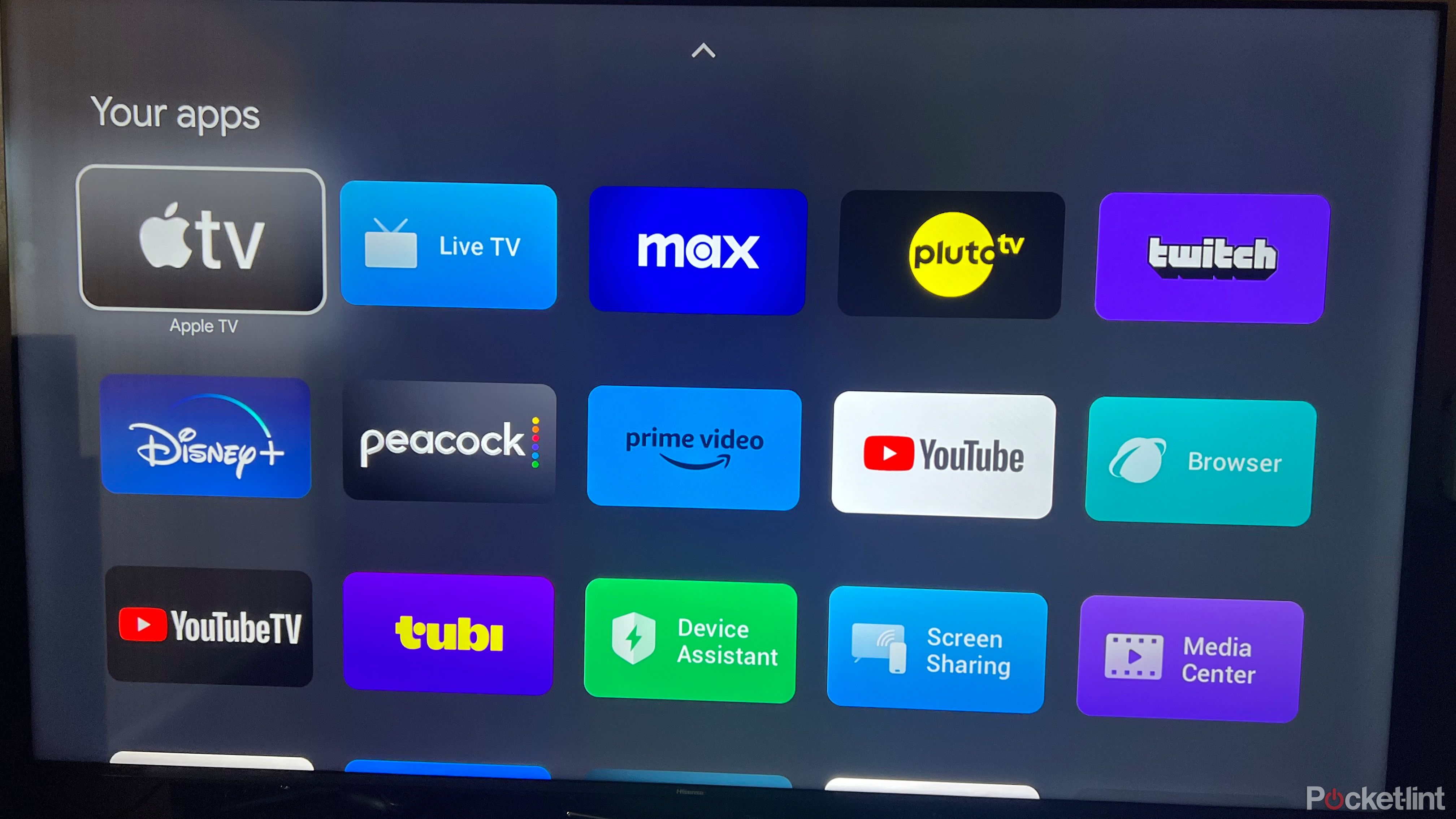
If you miss the feeling of channel surfing, Pluto TV is probably your best friend. Owned by Paramount, this app pulls from a massive library of content, including live news feeds, classic sitcom reruns, and dedicated movie channels. The interface feels very similar to a traditional cable guide, which reduces the learning curve significantly.
What sets Pluto apart is its depth. It doesn’t just offer a few generic news channels; it has dedicated 24/7 streams for everything from Doctor Who to true crime documentaries. The app is available across nearly all major Smart TV platforms, including Roku, Amazon Fire TV, Samsung Tizen, LG WebOS, and Android TV. It’s lightweight, loads quickly, and requires no login, which is a huge plus for guest users.
Tubi: Movies and More
While Plutos shines in live channels, Tubi is arguably the king of on-demand free content, but it also offers a respectable selection of live TV. Owned by Fox Corporation, Tubi boasts one of the largest libraries of movies and TV shows available for free. Their live section includes news, sports highlights, and pop culture discussion shows.
The interface is sleek and modern, often feeling more like a Netflix clone than a cable box. However, Tubi’s live TV offering is less extensive than Pluto’s. It’s better suited for viewers who want a mix of live news and a massive backlog of on-demand films. The ad load is generally considered lighter than competitors, though they do interrupt more frequently during peak popularity shows.
The Roku Channel: One Platform, Many Apps
You don’t need a Roku device to use the Roku Channel, which is a common misconception. The app is available on many non-Roku Smart TVs, including some Samsung and LG models. It aggregates content from various sources into one tidy interface.
The Roku Channel offers live news from major networks like NBC and Fox, along with a rotating selection of movies and TV series. It also includes original programming that is exclusive to the platform. The "Live TV" section is intuitive and often features curated feeds like "Roku TV 1" which cycles through different genres. It’s a solid all-rounder that benefits from Amazon’s Prime Video integration on many devices.
PLEX: Beyond Media Server
Originally known as a media server for organizing personal files, Plex has pivoted to become a legitimate streaming service for free content. The "Movies & TV" section of the Plex app includes thousands of free, ad-supported titles and over 200 live TV channels.
This might be the most overlooked app on Smart TVs. Many users install it for managing their local libraries and forget to explore the streaming section. The live offerings include news, weather, and niche interest channels ranging from cooking to finance. The interface is incredibly versatile, allowing you to mix your own media with Plex’s free content seamlessly.
Samsung TV Plus and LG Channels
If you own a modern Smart TV from Samsung or LG, you might already have two powerful tools installed by default: Samsung TV Plus (now often integrated under the broader Samsung TvPlus brand) and LG Channels. These are native apps that require no downloads and no logins.
Samsung TV Plus offers over 200 free channels, including news, lifestyle, and entertainment. It’s deeply integrated into the Tizen OS, meaning it starts up incredibly fast and uses very little storage space. Simiarly, LG WebOS includes LG Channels, which provides a similar lineup of free live content. These native apps are often the most stable options because they are optimized specifically for the hardware they run on.
Peacock and Radio Publica
Peacock, NBCUniversal’s streaming service, offers a free tier that includes live news from NBC News Now and CNBC. While the library of on-demand content is limited on the free plan, the live news streams are reliable and high-quality. It’s a go-to for staying updated on breaking news without paying for a subscription.
For public broadcasting fans, PBS offers free live streams of some of its popular shows through its website and app on many Smart TVs. Radio Publica also streams several PBS affiliates live, offering a national broadcast of programs like Priyanka Chopra Jonas or NOVA.
FAQ
Do I need an internet connection for Free Live TV apps?
Yes. These apps stream content over the internet, so a stable Wi-Fi or Ethernet connection is required. The quality usually ranges from SD to HD depending on your bandwidth.
Are there really no hidden fees?
For the apps mentioned above, there are no hidden subscription fees. However, you will see advertisements. The free model is supported by these ads, which typically run every 7 to 10 minutes.
Can I watch live sports for free?
Some apps offer limited live sports. Pluto TV occasionally streams niche sports or highlights. The Roku Channel and Peacock may offer specific events or live news coverage of major games, but you generally won’t find full, premium sporting events like NFL Monday Night Football without a paid subscription.
Why are some apps missing from my Smart TV?
Smart TV ecosystems are fragmented. An app might be available on Roku and Android but not on older LG WebOS or Samsung Tizen versions. If an app is missing, you can often use a streaming stick like Roku or Amazon Fire TV to access it.

![Best Live Streaming Apps in 2025 [Free+Paid]](https://www.a3logics.com/wp-content/uploads/2024/02/USTVGO-Live-tv.webp)