How to Fix a Blank Internet Radio List on Marantz Devices
When you power up your Marantz receiver and notice the Internet Radio list is empty, it can be surprisingly frustrating—especially if you’re eager to stream your favorite stations. This common hiccup often hides behind a few simple connectivity or software glitches that can be resolved with a handful of steps. Below is a concise, step‑by‑step guide that covers everything from checking your Wi‑Fi settings to updating firmware, ensuring you’re back to tuning in in no time.
Inside Look: Marantz Internet Radio List Empty? Fix It!
Many Marantz owners encounter the “list empty” problem during routine use or after a firmware upgrade. Understanding why it occurs is the first step toward a solution. Typically, the issue stems from one of three culprits: a broken internet connection, a misconfigured network setting, or outdated device software. Let’s walk through each scenario.
1. Verify Your Internet Connection
The Internet Radio feature relies on a stable Wi‑Fi or wired connection. Start by ensuring your Marantz is actually online:
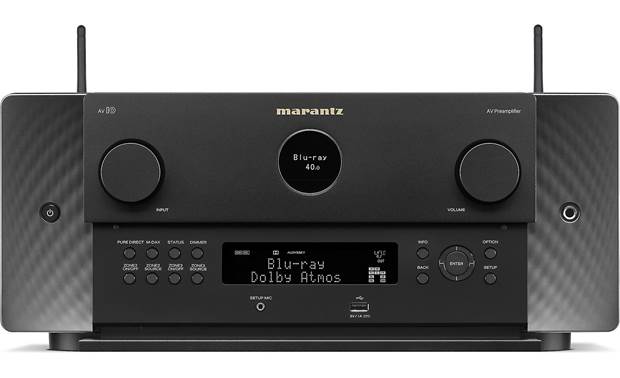
- Check the Wi‑Fi icon: On the front panel, a solid or pulsing Wi‑Fi symbol indicates an active connection. If it’s missing or shows an error, the device isn’t reaching the network.
- Run a network diagnostic: Press the Menu button, navigate to Setup > Network > Diagnostics, and run the test. The result will tell you whether the device can ping external servers.
- Test your router: Connect another device—like a smartphone—to the same network and verify streaming works. If not, the problem may be upstream.
If the diagnostics reveal a connectivity issue, try rebooting the router and the receiver, then reconnecting.
2. Ensure Correct Time and Date Settings
Some streaming services rely on accurate time stamps. Incorrect system time can prevent station lists from loading.
- Navigate to Setup > System Settings > Date/Time.
- Select Automatic if you prefer the device to sync via the network. If you choose Manual, double‑check that the year, month, day, hour, and minute are correct.
After correcting the time, restart the Internet Radio menu and see if stations appear.
3. Check for Network Restrictions
Some ISPs or corporate firewalls block specific ports or protocols that Marantz uses for streaming. To rule this out:
- Ask your ISP if they support multicast or UDP traffic, which many internet radio services require.
- If you’re on a secured network (e.g., a home router with guest networks), try connecting the receiver to the main, unrestricted LAN.
- Some routers allow you to “enable UPnP” or “allow port forwarding.” Enabling these settings can improve connectivity.
4. Update the Receiver’s Firmware
Outdated firmware may contain bugs that prevent the Internet Radio list from loading. Updating often resolves these glitches.
- On the remote, press Menu > Setup > System > Software Update.
- Choose Check for Update. If a newer version appears, select Download and then Install.
- During the update, keep the receiver plugged into power and avoid turning it off.
After the firmware refreshes, revisit the Internet Radio menu. The station list should populate.
5. Reset Network Settings
When all else fails, resetting network preferences can clear lingering misconfigurations.
- Navigate to Setup > Network > Reset Settings.
- Confirm the reset, then re-enter your SSID and password.
- Reboot the receiver and try streaming again.
6. Reach Out for Support
If the list remains empty after exhausting the above steps, it may be a deeper hardware or software issue. Contact Marantz customer support or visit the Marantz Support Center. Provide them with the device’s model number, firmware version, and a brief description of the troubleshooting steps already taken.
Quick FAQ
- Why is my Marantz Internet Radio list empty? Common reasons include a lost Wi‑Fi connection, incorrect system time, or a firmware bug.
- Can a firmware update fix the empty list issue? Yes, many users report the problem resolves after installing the latest software release.
- Does my Marantz need a wired connection? Not necessarily; most models support both Wi‑Fi and Ethernet. A wired connection can offer more stability if Wi‑Fi is spotty.
- Is a router firewall blocking the service? Potentially. Enabling UPnP or forwarding necessary ports often solves the problem.
By systematically verifying connectivity, synchronizing time, ensuring proper network permissions, and updating software, you can turn a blank Internet Radio list into a full streaming catalogue. Most users find that a quick reboot or firmware refresh is enough to restore full functionality.