How to Make Stunning Online Videos Using AI: The Ultimate Guide
Creating videos online with AI used to sound like a futuristic promise; today it’s a practical option for anyone with a story to tell. Whether you’re a solo entrepreneur, a teacher, or just a hobbyist looking to share a travel montage, artificial intelligence can handle everything from scriptwriting to visual effects. The key is knowing which tools fit your workflow and how to steer them toward a result that feels genuinely yours.
Why AI Is Changing the Video‑Creation Landscape
Traditional video production still hinges on expensive gear, long editing sessions, and a crew that can stretch a budget thin. AI compresses that timeline dramatically—text prompts can spawn animations in minutes, voice‑over generators replace costly studio sessions, and smart editors stitch clips together with just a few clicks. The result? Faster turnaround, lower costs, and the freedom to experiment without the fear of blowing the budget.
Choosing the Right AI Tool for Your Needs
Not every AI platform serves the same purpose, so a quick inventory can save you hours of trial and error. Below are three broad categories that cover most use‑cases:
- Script & Storyboard Generators – tools like Jasper or Copy.ai turn bullet points into polished scripts, while storyboard assistants such as Plotagon map scenes visually.
- Visual & Animation Engines – services like Runway, Synthesia, or Pictory transform text or voice inputs into video clips, complete with avatars, backgrounds, and motion graphics.
- Post‑Production Enhancers – AI‑driven editors (e.g., Descript or Adobe Premiere’s Sensei features) automatically cut silences, balance audio, and suggest color grades.
Start by matching the stage of your project with the appropriate category. If you’re stuck on the narrative, focus on script generators first. If you already have a script, move straight to visual engines.
Step‑by‑Step Workflow for an AI‑Powered Video
1. Draft a Clear Outline
Even the smartest AI struggles with vague directions. Jot down the core message, target audience, and desired length. A concise outline—three to five bullet points—gives the algorithm enough context to produce relevant content.
2. Generate a Script
Plug your outline into a language model and ask for a conversational tone that matches your brand voice. Review the output for factual accuracy and tweak any phrasing that feels too generic. A polished script sets a solid foundation for the rest of the process.
3. Create Visuals or Choose a Template
Upload the script to an AI video builder. Many platforms let you select an avatar, background style, and even music mood with simple dropdowns. If you have specific footage, you can ask the AI to blend it with generated scenes for a seamless look.
4. Refine Audio
Text‑to‑speech engines now sound remarkably natural. Choose a voice that aligns with your audience—professional for corporate training, warm for lifestyle tutorials. Most tools also allow you to adjust pacing, emphasis, and pauses to avoid a robotic cadence.
5. Polish the Edit
Run the draft through an AI editor that can auto‑trim dead air, sync captions, and suggest transitions. At this stage, you might add a logo, subtitles, or a call‑to‑action overlay. A quick review ensures the pacing feels right before final export.
6. Export and Share
Choose the resolution and format that suit your distribution channel—1080p MP4 for YouTube, square 1:1 for Instagram, or vertical 9:16 for TikTok. Most AI platforms handle the rendering in the cloud, so you can download the file within minutes.
Tips to Keep Your AI Videos Authentic
AI excels at efficiency, but authenticity still comes from the human touch. Insert personal anecdotes or brand‑specific terminology that only you would use. When possible, record a short intro or outro yourself; blending a real voice with AI‑generated segments adds credibility. Finally, avoid over‑reliance on default templates—customize colors and fonts to reflect your visual identity.
Common Pitfalls and How to Avoid Them
- Over‑prompting the AI – Giving too many constraints can produce stiff, unnatural output. Keep prompts focused and let the model fill in creative gaps.
- Neglecting Legal Checks – Some AI‑generated assets use licensed music or stock footage. Verify usage rights before publishing to avoid copyright issues.
- Skipping the Human Review – Even the best AI can misinterpret facts or insert awkward phrasing. A quick read‑through catches errors that could damage credibility.
- Ignoring Platform Specs – Different social networks favor distinct aspect ratios and lengths. Tailor each export to the intended platform to maximize engagement.
FAQ
Q: Do I need any prior video‑editing experience to use AI tools?
A: Not at all. Most AI platforms are designed for beginners, offering drag‑and‑drop interfaces and preset styles. Familiarity with basic concepts like storytelling and branding helps, but the software handles the technical heavy lifting.
Q: Can AI generate original music for my videos?
A: Yes. Services such as Soundraw or AIVA can compose royalty‑free tracks based on mood, tempo, and genre you specify. Pairing AI‑generated music with your visuals creates a cohesive, professional feel without extra licensing costs.
Q: How secure is the content I upload to cloud‑based AI editors?
A: Reputable providers use encryption and comply with data‑protection standards (e.g., GDPR, CCPA). Still, it’s wise to read the privacy policy and avoid uploading highly confidential material unless the service guarantees end‑to‑end encryption.
Q: Will AI replace human video editors completely?
A: Unlikely in the near term. AI accelerates repetitive tasks and offers rapid prototyping, but nuanced creative decisions, brand storytelling, and strategic messaging still benefit from a human’s intuition and experience.
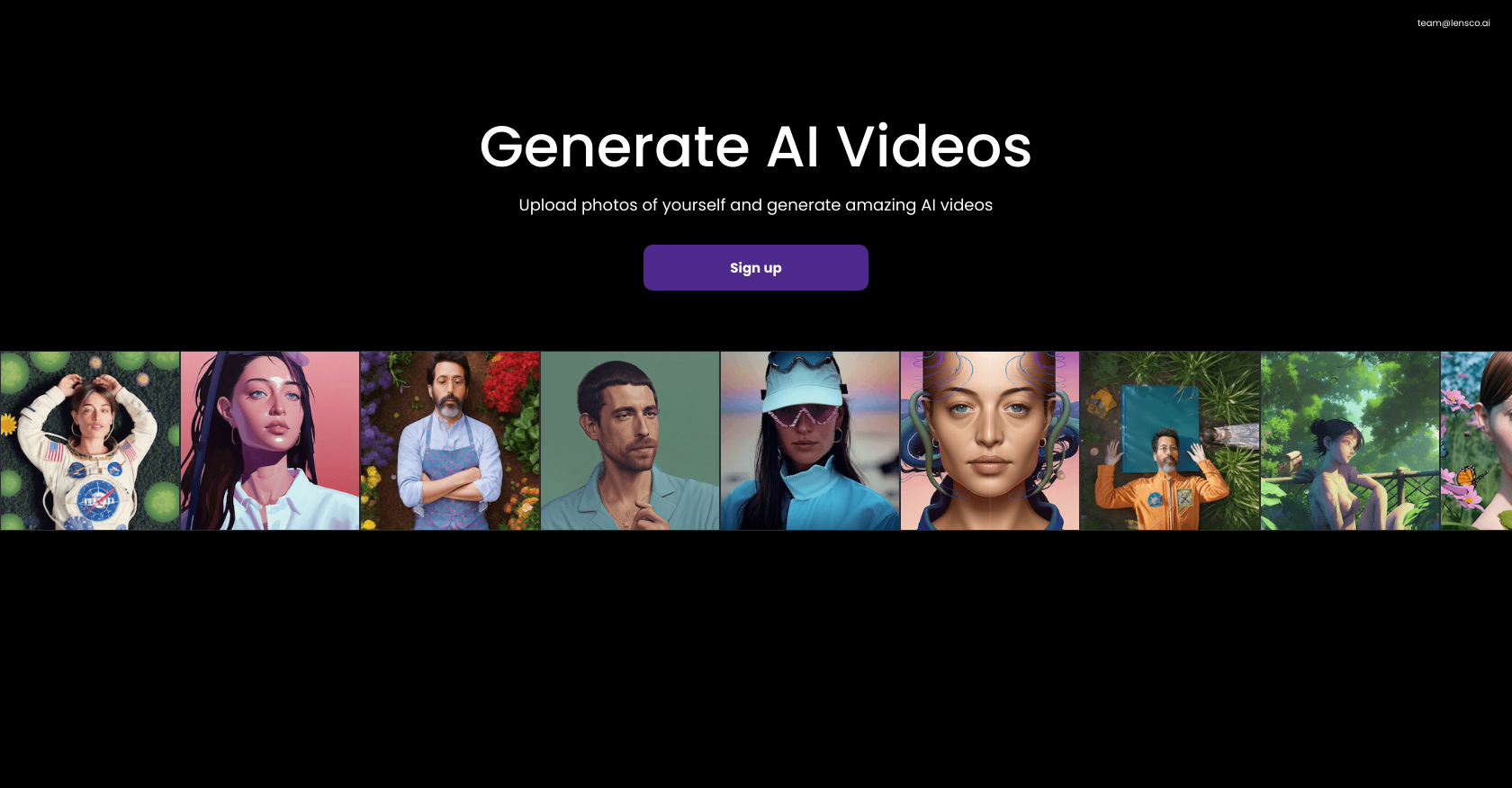
![9+ Best AI Video Generator Tools of Sept 2023 [Text to Video]](https://neilchasefilm.com/wp-content/uploads/2022/11/Designs-ai--1024x324.png)





:max_bytes(150000):strip_icc():focal(2260x1426:2262x1428)/90-Day-Fiance-The-Other-Way-Lily-james-c2f330ee20314904adcfa0d4a13ad2f5.jpg)