How to Watch Formula 1 Live on ESPN and Star Sports
If you’ve ever tried to catch a Grand Prix on a whim, you know the frustration of missing that crucial overtake or the final lap drama. The good news? In most regions, the race is just a remote click or a channel flip away—thanks to ESPN and Star Sports. Below you’ll find everything you need to tune in, from the basics of where the rights sit to the quirkiest streaming tricks that keep the action smooth.
Why ESPN and Star Sports Are the Go‑To Channels
Since the 2023 season, ESPN secured the U.S. broadcast rights for Formula 1, bringing the sport to a network already familiar with high‑octane racing. Meanwhile, Star Sports has long been the home for F1 in India and parts of South Asia, offering both TV and digital feeds. Both platforms benefit from official access, meaning you’ll see the full race, live timing screens, and the post‑race analysis that unofficial streams often skip.
What You Need to Tune In
Getting the picture on your screen boils down to three ingredients: a compatible device, an active subscription, and a stable internet connection (for streaming). Here’s a quick checklist:
- Device: Smart TV, laptop, tablet, or phone. ESPN also supports gaming consoles like PlayStation and Xbox.
- Subscription: In the U.S., ESPN+ (often bundled with Disney+). In India, a Star Sports package through a cable provider or the Disney+ Hotstar app.
- Internet: At least 5 Mbps for HD streaming; 15 Mbps if you want 4K where available.
Step‑by‑Step Guide to Catch the Race
Follow these steps the night before a Grand Prix to ensure you’re not scrambling at race‑time.
- Confirm the schedule. F1 races run on a Sunday, but practice and qualifying sessions occur on Friday and Saturday. Check the official calendar for local start times.
- Activate your subscription. Log into ESPN+ or Disney+ Hotstar and verify that your account is current. A quick test stream (like a news broadcast) can confirm everything works.
- Choose your feed. ESPN typically offers a main commentary feed and a “alternate” feed with a different presenter lineup. Star Sports often mirrors this with a “English” and a “Hindi” commentary option.
- Set a reminder. Most apps let you add the race to your calendar with a push notification. It’s a lifesaver when you’re juggling work and family.
- Start the stream a few minutes early. This gives the app time to buffer, and you’ll catch the opening lap ceremony—a tradition for many fans.
Regional Differences and Streaming Options
Not all viewers have the same access. In the United States, the live TV broadcast appears on ESPN’s linear channel at race time, but the same feed is simultaneously available on the ESPN+ app for on‑the‑go fans. In India, Star Sports’ linear channels air the race on cable or satellite, while Disney+ Hotstar streams it worldwide (provided you have the “Sports” tier). If you travel, a VPN can route you to the appropriate region—just remember that using a VPN to bypass geo‑restrictions may violate the service’s terms of use.
Tips for a Better Viewing Experience
Even with a perfect setup, the race can still feel choppy if you’re not prepared. Here are a few seasoned fan tricks:
- Enable “Auto‑Play” and disable “Data Saver.” This forces the app to prioritize video quality over bandwidth savings.
- Use a wired Ethernet connection. Wi‑Fi is convenient, but a direct cable often reduces latency.
- Turn off background apps. Streaming services compete for CPU and memory; closing other tabs or apps can keep the video smooth.
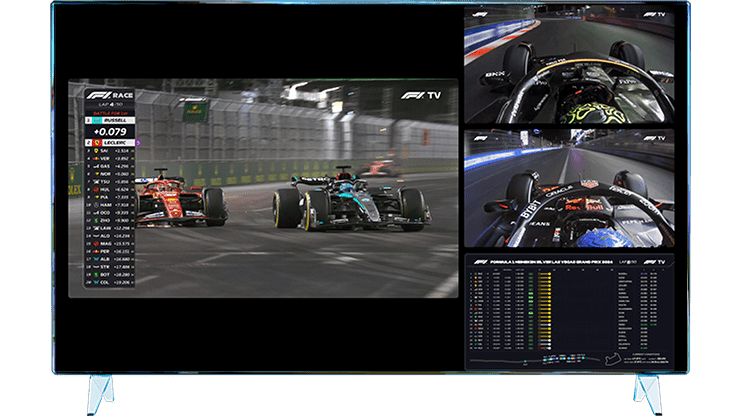
- Consider a second screen. A smartphone or tablet can run the official F1 app for live timing, pit‑stop updates, and driver radio snippets while you watch the main broadcast.
What If You Miss a Race?
Both ESPN and Star Sports keep full‑length replays on their platforms for a limited window—usually 48 hours after the event. If you’re in a different time zone, you can also catch the “highlights” package, which condenses the action into a 10‑minute recap. For die‑hard fans, the F1 TV Pro subscription offers on‑demand access to every session, but it’s a separate product from ESPN or Star Sports.
FAQ
Can I watch Formula 1 for free on ESPN or Star Sports?
Generally no. Both networks require a paid subscription—ESPN+ in the U.S. and the Disney+ Hotstar Sports tier in India. Occasionally, a free‑to‑air preview may appear, but that’s the exception rather than the rule.
Do ESPN and Star Sports broadcast the same commentary?
They have distinct presenter teams. ESPN’s U.S. crew typically includes former drivers and seasoned journalists, while Star Sports offers commentary in multiple languages, catering to a diverse Indian audience.
Is a VPN legal for watching the race?
Using a VPN to access content outside your licensed region can breach the streaming service’s terms of use, and it may lead to account suspension. It’s best to stick with the official regional feed.
What’s the difference between ESPN+ and the ESPN cable channel?
ESPN+ is an over‑the‑top (OTT) service that streams the same live race feed you’d see on the linear ESPN channel, plus on‑demand replays. The cable channel, however, requires a traditional TV package.