Arlo Security Cameras: In‑Depth Review, Features & Buying Tips
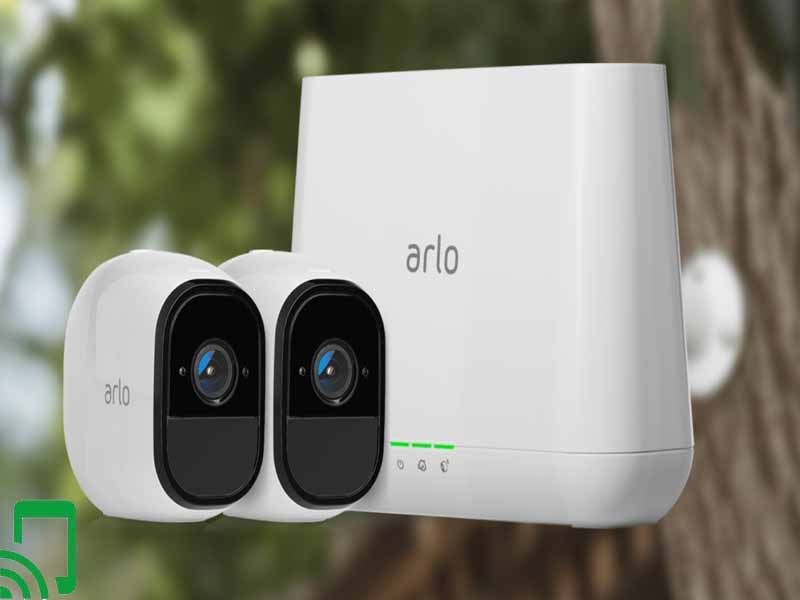
When you start hunting for a home‑monitoring system, the Arlo brand pops up time and again. Its lineup spans sleek indoor sticks, rugged outdoor bullet models, and even floodlight‑combined units. In this review we’ll walk through the most common Arlo cameras, highlight the tech that sets them apart, and flag the quirks that might make you pause before clicking “add to cart.”
What Makes Arlo Stand Out?
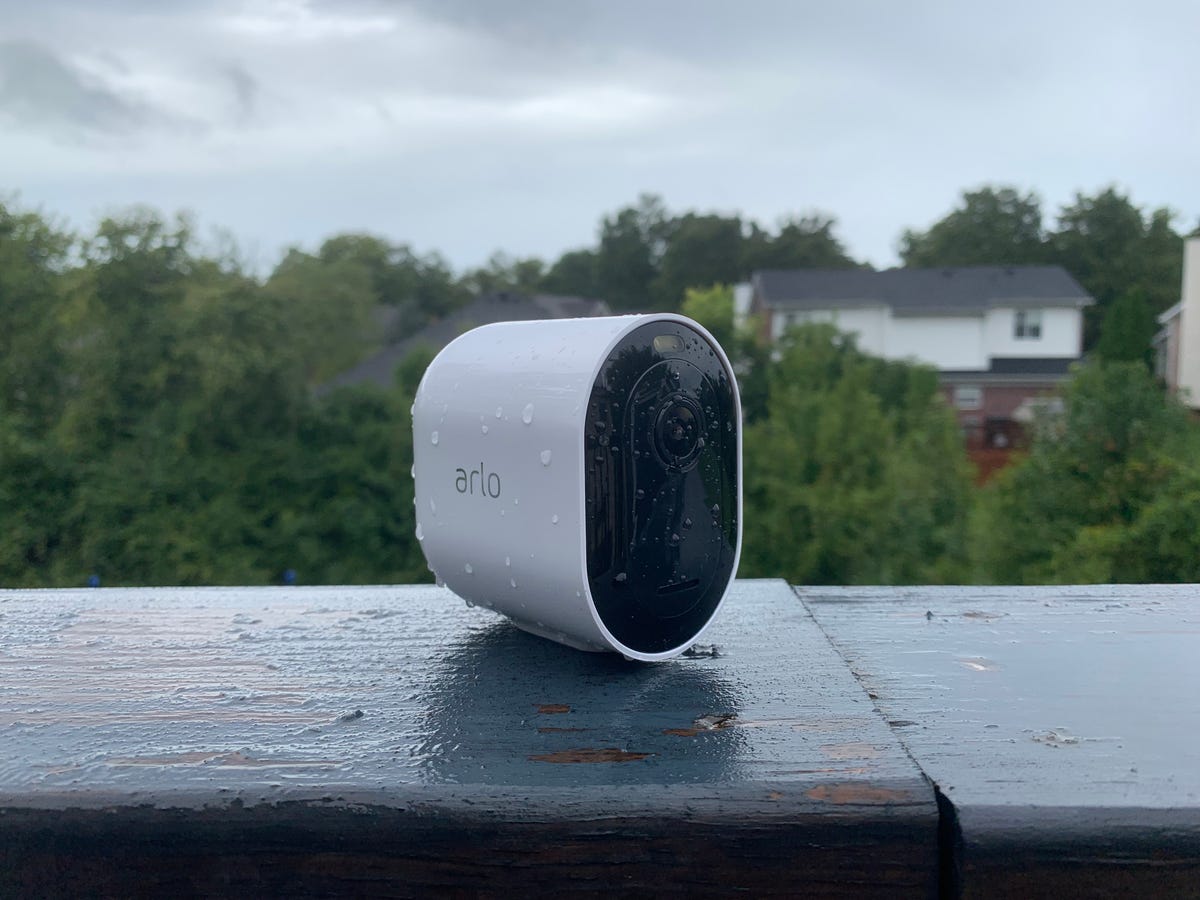
Arlo’s biggest selling point is its wire‑free design. Most models run on rechargeable batteries, so you can place them wherever you need a watchful eye without hunting for power outlets. Add to that a cloud‑centric storage approach, a robust mobile app, and a suite of smart‑home integrations, and you’ve got a system that feels both modern and flexible.
Key Features Across the Range
- 1080p to 4K video – The newer Ultra and Pro 4 models capture crisp detail, while older Pro 2 sticks with 1080p.
- HDR and night vision – High dynamic range balances bright sunlight and shadows; infrared LEDs keep the picture clear after dark.
- Two‑way audio – Speak through the speaker to greet visitors or deter intruders.
- Smart alerts – Motion, person, vehicle, and animal detection can be toggled individually to reduce false alarms.
- Local storage options – Select models support a microSD card, letting you keep footage offline if you prefer.
- Integrations – Works with Alexa, Google Assistant, Apple HomeKit, and popular IFTTT applets.
Popular Arlo Models and Who They’re Best For
Arlo isn’t a one‑size‑fits‑all brand. Below is a quick snapshot of the most common devices and the scenarios they shine in.
Arlo Pro 4
The Pro 4 is the sweet spot for most homeowners: 2K video, a built‑in spotlight, and a magnetic mounting plate that makes installation a breeze. Its battery lasts up to six months on a moderate motion schedule, and the optional solar panel can stretch that further.
Arlo Ultra 2
If you crave the highest resolution, the Ultra 2 delivers 4K HDR and a 180‑degree field of view. A built‑in siren and an optional floodlight make it a good choice for front‑door coverage. The trade‑off is a higher price tag and a slightly bulkier form factor.
Arlo Essential Indoor
Designed for indoor rooms, this compact stick offers 1080p video, a 130‑degree lens, and privacy mode that disables the camera with a tap. It’s perfect for a nursery, office, or any space where you want a low‑profile eye.
Arlo Go 2
For locations without Wi‑Fi – such as a vacation cabin or a shed – the Go 2 runs on a cellular connection (LTE‑Cat 1). It’s the only Arlo camera you can truly deploy off the grid, though the data plan adds recurring cost.
Installation: What to Expect
Because most Arlo cameras are battery‑powered, the first step is simply mounting. The magnetic base on the Pro 4 and Ultra 2 lets you snap the unit onto metal surfaces or attach a bracket for wood and drywall. The companion app walks you through Wi‑Fi pairing; you’ll need a 2.4 GHz network for most models, though the newer Ultra 2 also supports 5 GHz for faster streaming.
If you opt for local storage, pop a microSD card (up to 256 GB) into the slot on the back of the camera. The app will prompt you to format the card, after which footage is saved locally and still uploaded to the cloud for redundancy.
Pricing and Subscription Options
Arlo’s cameras range from about $100 for a single Essential Indoor unit to $350 for an Ultra 2. While you can view live video for free, most users rely on the cloud storage plans to retain recordings.
- Arlo Secure Essentials – $3 per month per camera, includes 30‑day video history.
- Arlo Secure Premier – $5 per month per camera, gives 60‑day history, advanced AI detection, and no ads.
- Arlo Secure Premier + Guard – $10 per month per camera, adds 24/7 professional monitoring and emergency response.
If you prefer a one‑time purchase, the “Arlo Secure Essentials Annual” bundle drops the monthly cost to roughly $30 per year per camera, but you lose the flexibility to change plans mid‑year.
Pros and Cons – A Balanced Look
- Pros
- True wireless setup eliminates messy cords.
- High‑resolution video and HDR keep details visible.
- Smart alerts can be fine‑tuned to avoid nuisance notifications.
- Extensive smart‑home ecosystem compatibility.
- Cons
- Battery life, while solid, can dip quickly with frequent motion detection.
- Cloud storage is subscription‑based; no free long‑term archive.
- Some users report occasional lag in live view on older Wi‑Fi routers.
- Higher‑end models are pricey compared to rivals offering similar specs.
How Arlo Stacks Up Against Competitors
In the crowded DIY camera market, Ring, Nest, and Eufy are the usual suspects. Ring’s doorbell‑centric lineup excels at entry‑point alerts but often lacks the wide‑angle indoor coverage Arlo provides. Nest cameras boast seamless Google ecosystem integration, yet they usually lock you into a more expensive subscription. Eufy’s local‑only storage can be appealing for privacy‑concerned users, but its battery life tends to be shorter than Arlo’s.
Overall, Arlo wins on flexibility: you can start with a single indoor stick and later expand to a full‑scale outdoor array, mixing and matching battery or wired power sources as needed.
Is Arlo Right for You?
If you value a clean, wire‑free look and plan to integrate cameras with Alexa or HomeKit, Arlo is a strong contender. The brand’s commitment to AI‑driven alerts also means fewer false alarms once you fine‑tune the detection settings. However, if you’re on a tight budget or demand purely local storage with no recurring fees, you might look at Eufy or a DIY NVR solution instead.
FAQ
Do Arlo cameras work without Wi‑Fi?
Only the Arlo Go 2 runs on a cellular connection, allowing truly off‑grid deployment. All other models need a Wi‑Fi network for live streaming and cloud storage.
Can I view footage without a subscription?
You can watch live video for free, but recorded clips are stored in the cloud only with a paid plan. Using a microSD card provides a limited local archive, though you’ll lose the convenience of searchable cloud history.
Are Arlo cameras compatible with Apple HomeKit?
Yes, most recent models—including the Pro 4 and Ultra 2—support HomeKit Secure Video, letting you store recordings in iCloud if you have an Apple‑compatible subscription.
How often do I need to replace the batteries?
Battery life varies by model and activity level. In typical use, a Pro 4 battery lasts three to six months; the Ultra 2’s larger battery can stretch to eight months. Solar panels can significantly extend these intervals.
![5 Best Security Cameras to Buy in Singapore [2025 Guide]](https://www.thebestsingapore.com/wp-content/uploads/2024/01/Arlo.jpg)