How to Watch Star Sports Live in Telugu: Easy Streaming Guide
If you’re wondering how to watch Star Sports live in Telugu, you’ve come to the right place. The channel’s cricket, football, and kabaddi coverage draws millions of fans across the Telugu‑speaking belt, and the demand for a seamless viewing experience keeps growing. Below is a straightforward roadmap that covers everything from official platforms to handy tips for mobile users.
Official Platforms That Stream Star Sports in Telugu
The most reliable way to catch Star Sports in Telugu is through the services that hold the official broadcasting rights. In India, Disney+ Hotstar remains the flagship streaming partner, offering the channel in both its standard and premium tiers. Subscribers can select the “Telugu” audio track during live matches, ensuring commentary in the language they love.
- Disney+ Hotstar (Premium): Full‑HD streams, live replays, and a library of past matches.
- Star Sports App (Android/iOS): Mirrors Hotstar’s feed but requires a separate subscription.
- Set‑Top Boxes (e.g., Tata Sky, Airtel Digital TV): Provide the Telugu audio feed for linear TV.
Step‑by‑Step Guide to Accessing the Telugu Feed on Disney+ Hotstar
Getting the Telugu commentary is a matter of a few clicks. Here’s how to do it without any technical hiccups.
- Open the Disney+ Hotstar app or website and sign in with your premium account.
- Navigate to the “Sports” section and locate the live Star Sports broadcast you want to watch.
- Start the stream, then look for the audio or language icon—usually a small speaker or “EN/TE” button.
- Select “Telugu” from the list. The commentary will switch instantly.
Remember, the language toggle appears only after the live feed has loaded, so give the stream a moment before searching for the option.
Satellite and Cable Options for Traditional TV Lovers
Not everyone prefers streaming, and many households still rely on satellite dishes or cable connections. If you have a set‑top box that includes the Star Sports package, you can usually switch the audio track directly from your remote.
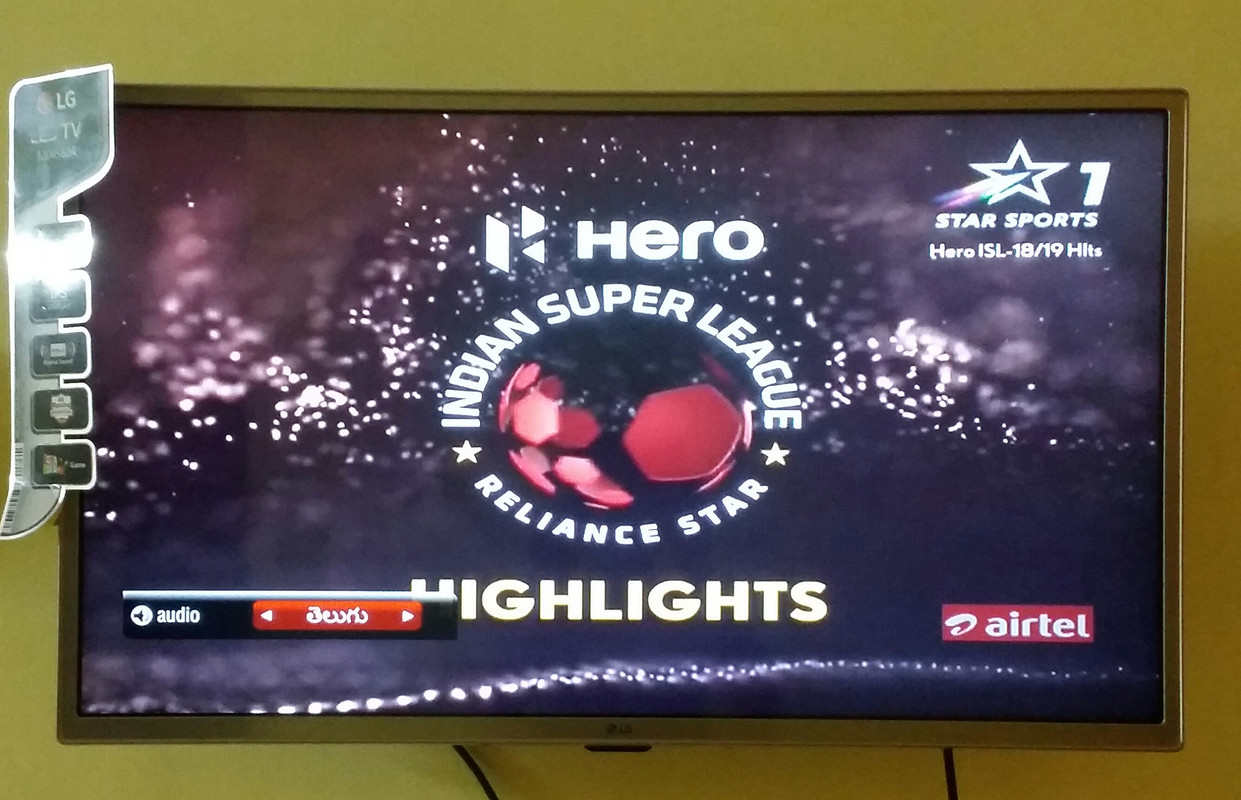
On most DTH platforms, pressing the “Audio” or “Language” button during a match brings up a menu where “Telugu” will be listed alongside Hindi, English, and other regional languages. If the option is missing, it may indicate that your current subscription tier does not include the multilingual feed, and an upgrade could be necessary.
Mobile Streaming Tips for On‑the‑Go Fans
Watching on a smartphone or tablet adds a layer of convenience, but data usage can become a concern during long matches. Here are a few practical tips:
- Enable “Data Saver” mode in the Hotstar app to lower the video bitrate without sacrificing audio quality.
- If you have a reliable Wi‑Fi connection at home, start the stream there and then switch to mobile data once the audio track is set to Telugu.
- Consider downloading the match (if the app allows) for offline viewing later—perfect for commuting or areas with spotty coverage.
Dealing with Regional Restrictions and VPNs
Star Sports’ Telugu feed is primarily available within India. Viewers outside the country may encounter geo‑blocks, which is why many turn to VPN services. While using a VPN can technically bypass those restrictions, it’s essential to choose a reputable provider that offers servers in Indian cities to ensure a stable connection.
Keep in mind that streaming through a VPN may violate the platform’s terms of service, and you could face occasional buffering if the chosen server is overloaded. Whenever possible, stick to the official channels to guarantee the best experience.
Why the Telugu Audio Track Matters
Cricket and other sports are more than just a game for Telugu fans; they’re a cultural event. Commentary in the native language adds local flavor, references regional players, and creates a sense of community that transcends the stadium. That emotional connection is why broadcasters invest in multilingual feeds, and why viewers are eager to switch to Telugu whenever possible.
Common Troubleshooting Scenarios
If you’ve followed the steps above but still can’t hear Telugu commentary, try the following:
- Refresh the page or restart the app to reset the audio stream.
- Check for pending app updates—older versions sometimes lack the latest language options.
- Confirm that your subscription tier includes the multilingual feed; some budget plans limit audio tracks.
- Contact the platform’s support chat; they can verify whether the Telugu feed is active for the specific event.
Frequently Asked Questions
Can I watch Star Sports live in Telugu for free?
Officially, the Telugu audio track is bundled with premium subscriptions on Disney+ Hotstar and certain DTH packages. Free streaming sites may host the video, but they typically lack the authorized commentary and can pose security risks.
Is the Telugu feed available for every Star Sports event?
Most high‑profile cricket, football, and kabaddi matches include a Telugu commentary option, but some niche tournaments or international fixtures might only offer Hindi and English. The event’s promotional material usually lists the available languages.
Do I need a separate subscription for the Star Sports app?
Yes, the standalone Star Sports app requires its own subscription, even if you already have Disney+ Hotstar. However, the content and language options are identical, so many users stick with Hotstar for simplicity.
Will the Telugu commentary work on smart TVs?
Smart TVs that run the Disney+ Hotstar app support language switching just like mobile devices. Use your remote’s “Audio” or “Language” button during a live match to select Telugu.
![🔴[LIVE] Watch Star Sports Live • Watch IPL Live • Star Sports 1,2,3 ...](https://i.ytimg.com/vi/PV2YzCBbtBg/maxresdefault.jpg)